How to Sync Notion Pages to Webflow CMS Without Manual Copying
If your content team writes in Notion but publishes in Webflow, the handoff can become the slowest part of the workflow. Copying fields one by one, fixing formatting, and re-pasting updates into the CMS wastes time and makes small edits feel risky.
Syncflow is built for that gap. It connects Notion databases to Webflow CMS collections so you can write in Notion, map fields once, and keep pages synchronized without rebuilding content manually.
What Syncflow Actually Solves
The core problem is not just speed. It is consistency.
When a blog post lives in one tool and the CMS entry lives in another, these things usually break:
- Headings and paragraphs need reformatting.
- Images do not land in the right place.
- Links between pages are lost.
- Code blocks and math are handled inconsistently.
- Updates have to be repeated in both places.
Syncflow turns Notion into the writing layer and Webflow into the publishing layer. That means your team can keep a single source of truth in Notion while Webflow stays aligned with the latest content.
How The Workflow Works
The setup is straightforward and is meant to be done in three steps:
- Install the app and connect your Webflow and Notion accounts.
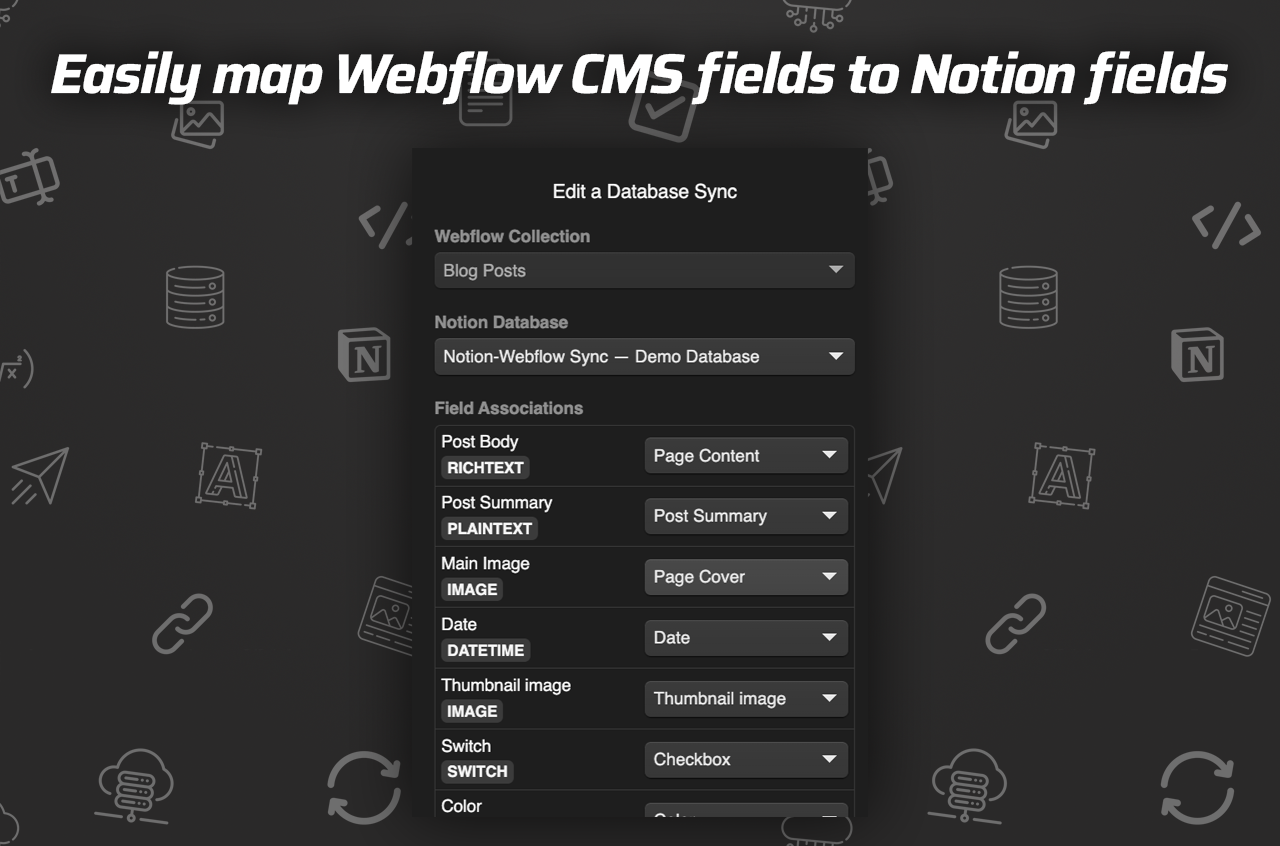
- Map Webflow CMS fields to the corresponding Notion database fields.
- Sync manually or enable auto-sync so changes keep flowing forward.
The field-mapping step is where the real value shows up. Once the collection fields are matched correctly, you are not rebuilding the same page structure every time you publish a new article.
When Auto-Sync Helps Most
Auto-sync is most useful when content changes often.
Use it if you have:
- A blog with frequent edits after publication.
- A marketing team that updates drafts in Notion.
- A content pipeline where multiple people review the same page.
- Reusable templates that should stay synchronized across collections.
It is especially helpful for operational content. Product launches, changelogs, tutorials, and resource pages often need small revisions after the first draft ships. Auto-sync reduces the chance that Webflow falls out of date.
Formatting Features That Matter
A sync tool is only useful if the final output still looks good.
Syncflow includes support for:
- A wide range of field types, including text, images, checkboxes, dates, and URLs.
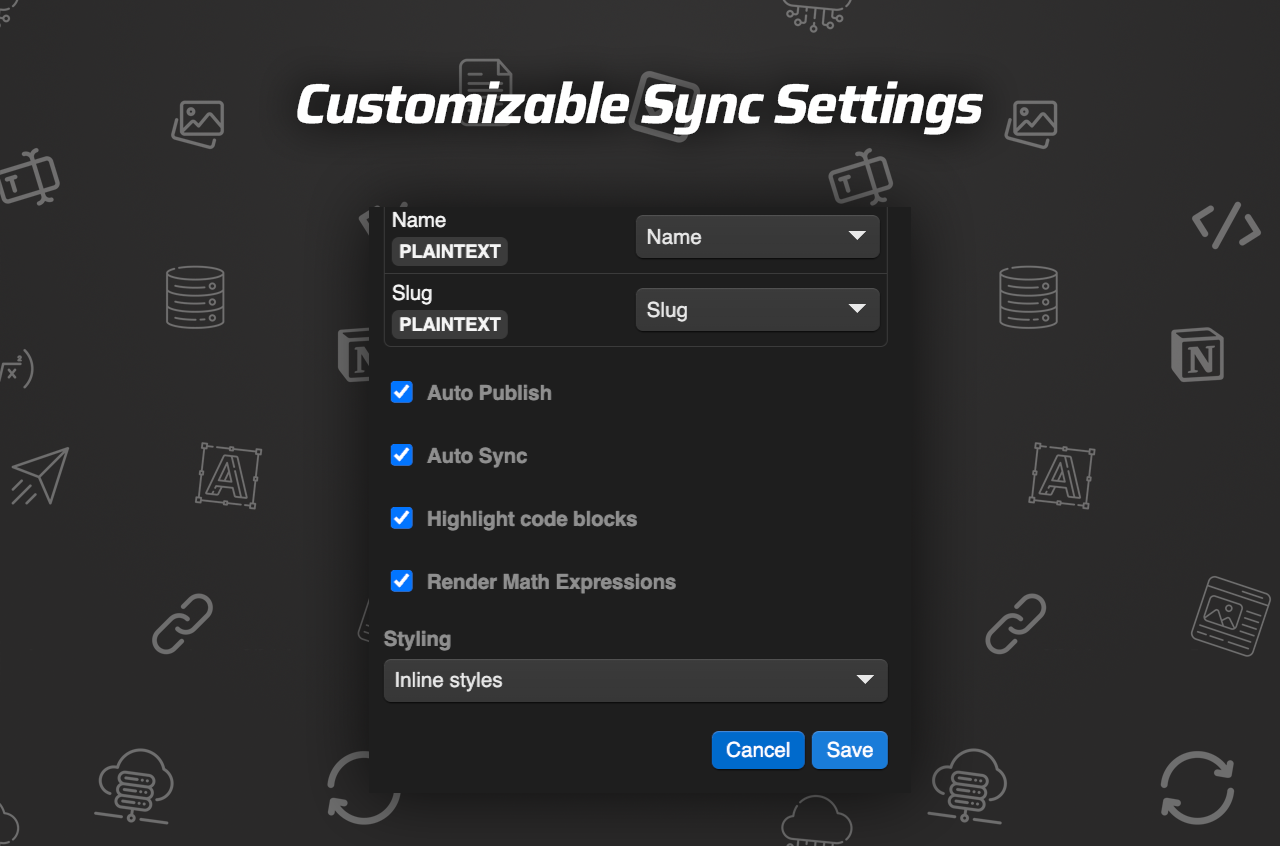
- Inline styling or class-based styling.
- Automatic page links between Notion pages.
- Auto-publish so site updates reflect Notion changes.
- Code block highlighting.
- TeX rendering for mathematical content.
Those details matter because a content workflow is only as strong as its edge cases. If code samples, internal links, or technical notation break during sync, the team loses trust in the system.
A Practical Example
Imagine you are publishing a technical tutorial in Notion.
Your draft includes:
- A title and summary.
- A hero image.
- Several sections with code snippets.
- A linked reference page.
- A final CTA.
Without Syncflow, someone has to reproduce that structure in Webflow and then maintain it after edits. With Syncflow, the Notion page can stay as the authoring source, and the Webflow CMS entry updates from that structure instead of being re-entered by hand.
That is a better fit for teams that value speed, but also want the freedom to revise content right up until publish time.
Where The Tutorial Video Fits
If you want to see the setup before trying it, the walkthrough and trailer are useful starting points:
Use the tutorial when you want to understand the workflow end to end. Use the trailer when you just want a quick product overview.
Pricing And Fit
Syncflow’s standard plan is listed at $8 per month, with support for one Webflow site install, unlimited syncs, unlimited databases, and unlimited connected fields.
That kind of pricing makes sense for small teams, solo operators, and agencies that want to avoid building a custom sync layer.
The product is a strong fit if you:
- Write content in Notion already.
- Publish on Webflow.
- Need a repeatable CMS workflow.
- Want less copy-paste work and fewer formatting mistakes.
It is probably not the right fit if your publishing process is already fully native to Webflow or if your team does not use Notion as a serious writing workspace.
Bottom Line
Syncflow gives Webflow teams a cleaner bridge from Notion draft to published CMS entry. The main benefit is not just automation; it is reducing the friction between writing and publishing so content can move faster without falling apart on the way.
If your team already drafts in Notion, the next step is simple: connect your accounts, map one collection, and test a real post before rolling it out more broadly.