How To Create Lifestyle Product Photos That Convert For Shopify
If your Shopify product photos are stuck on plain white backgrounds, you’re leaving money on the table. Lifestyle product photography adds context, emotion, and brand voice—turning casual browsers into buyers. In this guide, you’ll learn exactly how to create high-converting lifestyle images at scale, even without a studio or design team.
What you’ll get:
- A proven workflow to turn basic shots into scroll-stopping lifestyle photos
- Practical checklists for composition, lighting, and branding consistency
- A fast, budget-friendly method using AI tools that plug directly into Shopify
Pro tip: You can produce everything in this article using Supra AI Photo Studio. It’s a Shopify app that converts simple product photos into studio-grade images, on-model shots, and UGC-style videos in minutes. Explore it here: https://apps.shopify.com/supra-ai-photo-studio or learn more on the landing page: https://supra-ai-photo-studio.sktch.io/
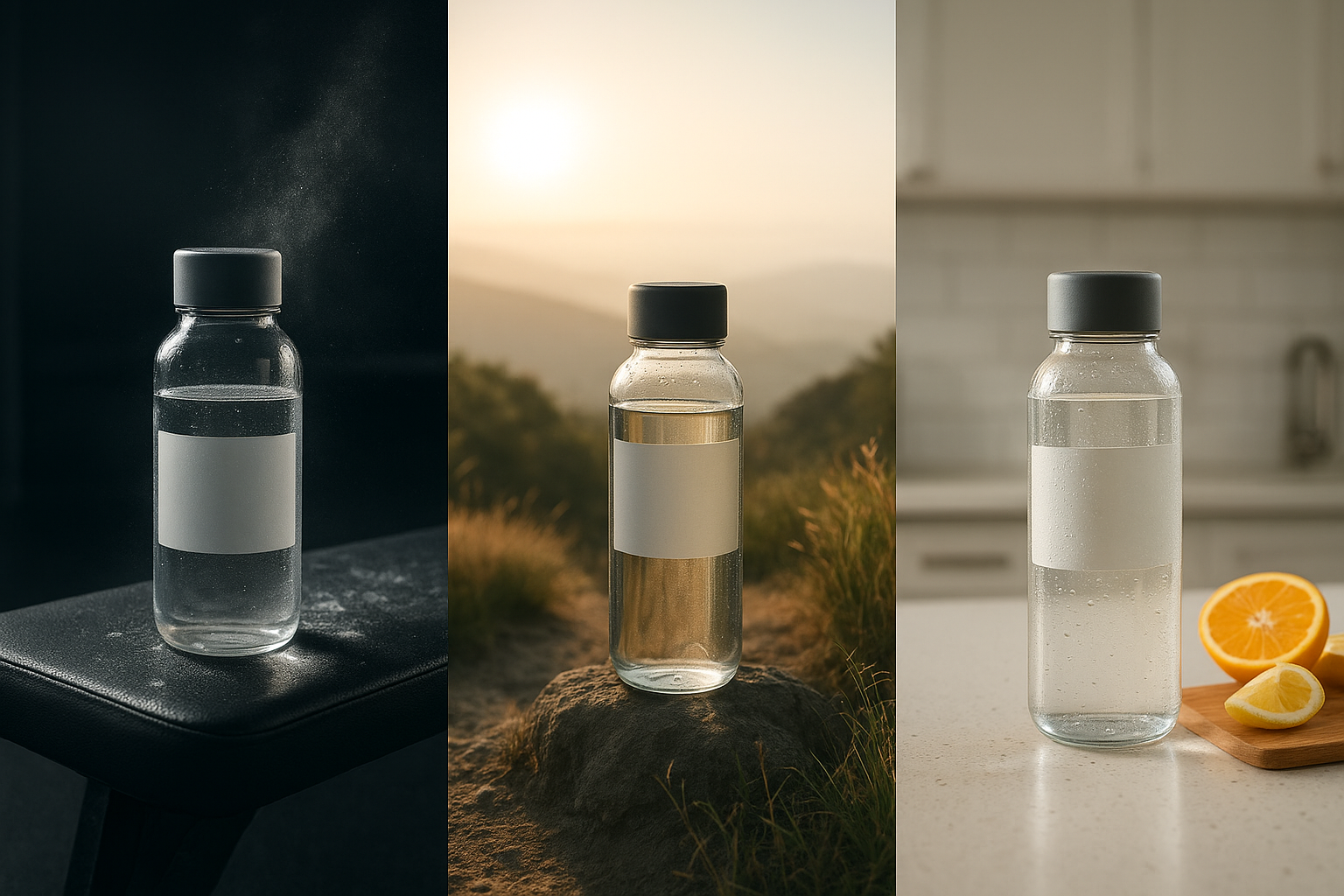
Why Lifestyle Photos Convert Better
- Context reduces uncertainty: Shoppers visualize size, use-cases, and fit without guesswork.
- Emotion drives action: A relatable scene signals how the product improves daily life.
- Brand memorability: Consistent aesthetics build trust and recognition across your storefront, ads, and social.
- Mobile impact: Lifestyle photos are more thumb-stopping in crowded feeds and small screens.
Keys To a High-Converting Lifestyle Image
- Clear focal point: The product remains the hero, occupying 60–75% of visual attention.
- Realistic lighting: Match the environment—soft daylight for home goods, directional contrast for tech or fitness.
- Cohesive palette: Use a brand-consistent color scheme so your grid looks curated, not chaotic.
- Story cues: Add 1–3 carefully chosen props that hint at use without stealing focus.
- Texture and scale: Surfaces (wood, linen, marble) and human touchpoints (hands, models) add realism and perceived value.
The Fastest Workflow: From Plain Shot to Lifestyle Scene (No Studio Needed)
You can create on-brand, conversion-ready visuals in minutes using Supra AI Photo Studio. It handles background removal, object placement in scenes, on-model try-on for apparel, and even short UGC videos and cinematic b‑roll.
You can create on-brand, conversion-ready visuals in minutes using Supra AI Photo Studio. It handles background removal, object placement in scenes, on-model try-on for apparel, and even short UGC videos and cinematic b‑roll.
Step-by-Step
- Start with a clean base image
- Shoot or export a product image on a neutral background.
- Ensure it’s sharp, well-exposed, and shows key details.
- Isolate the product for control
- Use the Background Remover to strip distractions and get a perfect cutout.
- This improves accuracy when you place the product into a lifestyle set.
- Place your product into a lifestyle environment
- Use Object Placement to drop your item into settings like a kitchen, studio plinth, boutique shelf, home office, or outdoors.
- Choose surface type, camera angle, and lighting style to match your brand.

- Dial in realism and conversion boosters
- Auto enhance to fix exposure, contrast, and color.
- Add subtle shadows and reflections so the product truly “sits” in the scene.
- Crop mobile-first (4:5 or square) while preserving whitespace around the hero.
- Create on-model images for fashion (optional)
- Use AI Try-On to place apparel, jewelry, or accessories on realistic models.
- Adjust pose, body type, skin tone, and vibe to reflect your customer profile.

- Generate short-form videos for ads and PDPs
- Create UGC-style videos from a product image—choose voice, vibe, and setting.
- Produce cinematic b‑roll (top-down pours, splashes, slow-motion reveals) for hooks.

- Keep your catalog consistent
- Save a brand style: background types, light direction, crop ratios, and color temperatures.
- Reuse across categories so your storefront looks professionally art-directed.
- Publish straight to your product pages
- Download or publish directly from the app and keep your Shopify media tidy.
Here’s what the editor looks like when you’re producing lifestyle shots at scale:
https://supra-ai-photo-studio.sktch.io/images/help/editor-overview.webp
Install the app here: https://apps.shopify.com/supra-ai-photo-studio — Free plan available.
Composition Blueprint For High-Impact Lifestyle Images
- Rule of thirds: Place the product along a third line; leave breathing room for overlays or badges.
- Foreground interest: A soft prop in the foreground creates depth without stealing focus.
- Leading lines: Use countertop edges, shelves, or fabric folds to guide the eye to the hero.
- Texture contrast: Pair smooth product surfaces with tactile backdrops (rough wood, linen, stone) to elevate perceived quality.
- Human element: A hand, wrist, or shoulder increases relatability and click-through (especially for wearables).
Optimize For Shopify SEO (And Faster Pages)
- Descriptive file names: product-keyword-lifestyle-kitchen.jpg (use your real keywords).
- Alt text that sells: “Matte black insulated bottle on sunlit marble counter — 24-hour cold retention.”
- Compress smartly: Aim for crisp visuals at the smallest size that still looks pro; use WebP where possible.
- Structured PDP content: Pair lifestyle hero with detail close-ups and a usage shot to reduce pre-purchase anxiety.
- Consistent aspect ratios: Prevent layout shifts and keep grids tidy for better UX signals.
A/B Testing Ideas To Lift Conversion Rate
- Background vibe: Natural daylight vs. moody studio.
- Prop density: Minimalist (1 prop) vs. narrative (3 props).
- Angle: Eye-level vs. top-down for small goods.
- Human presence: With vs. without a model/hand.
- Video thumbnail: Static hero vs. subtle motion preview.
Use your analytics to measure add-to-cart rate, PDP dwell time, and image interaction. Replace underperforming variants and scale winners across the catalog.
Common Mistakes (And Easy Fixes)
- Busy scenes that bury the product → Remove props and increase separation with light or color contrast.
- Mismatched lighting → Align shadows and highlights with the environment’s light direction.
- Inconsistent color across pages → Lock a brand palette and apply auto-enhance uniformly.
- Crops that cut off the product → Keep safe margins for mobile.
- Overly glossy retouching → Maintain natural textures; perfection can look fake.
Why Use Supra AI Photo Studio For Lifestyle Product Photos
- Speed: Turn a plain image into multiple lifestyle variations in minutes.
- Accuracy: Preserve product details (logos, textures, stitching) while changing context.
- Flexibility: Background remover, upscaling, auto-lighting, try-on, object placement, UGC videos, b‑roll clips.
- Native workflow: Manage everything inside your Shopify admin.
- Costs less than a single monthly studio session—and there’s a free plan to start.
Get started now
- Install the app: https://apps.shopify.com/supra-ai-photo-studio
- Explore features and examples: https://supra-ai-photo-studio.sktch.io/
- Watch the quick demo trailer: https://www.youtube.com/watch?v=M2ISy20la78
Fast Setup Checklist
- Pick 5–10 bestsellers to refresh first.
- Generate 2–3 lifestyle scenes per SKU (home, outdoor, studio).
- For apparel, add 1–2 AI try-on model shots per colorway.
- Create a 6–12 second b‑roll or UGC clip for ads and PDP.
- Add keyword-rich alt text and compress images before publish.
Your lifestyle photos should do more than look pretty—they should clarify value, reduce friction, and make buying feel obvious. With the right composition and AI-powered workflow, you can ship a consistent, conversion-focused visual system across your Shopify store in days, not months.
Ready to turn plain shots into revenue-driving visuals? Install Supra AI Photo Studio: https://apps.shopify.com/supra-ai-photo-studio