How To Create Lifestyle Product Photos That Boost Shopify Conversions
Why Lifestyle Product Photos Win More Sales
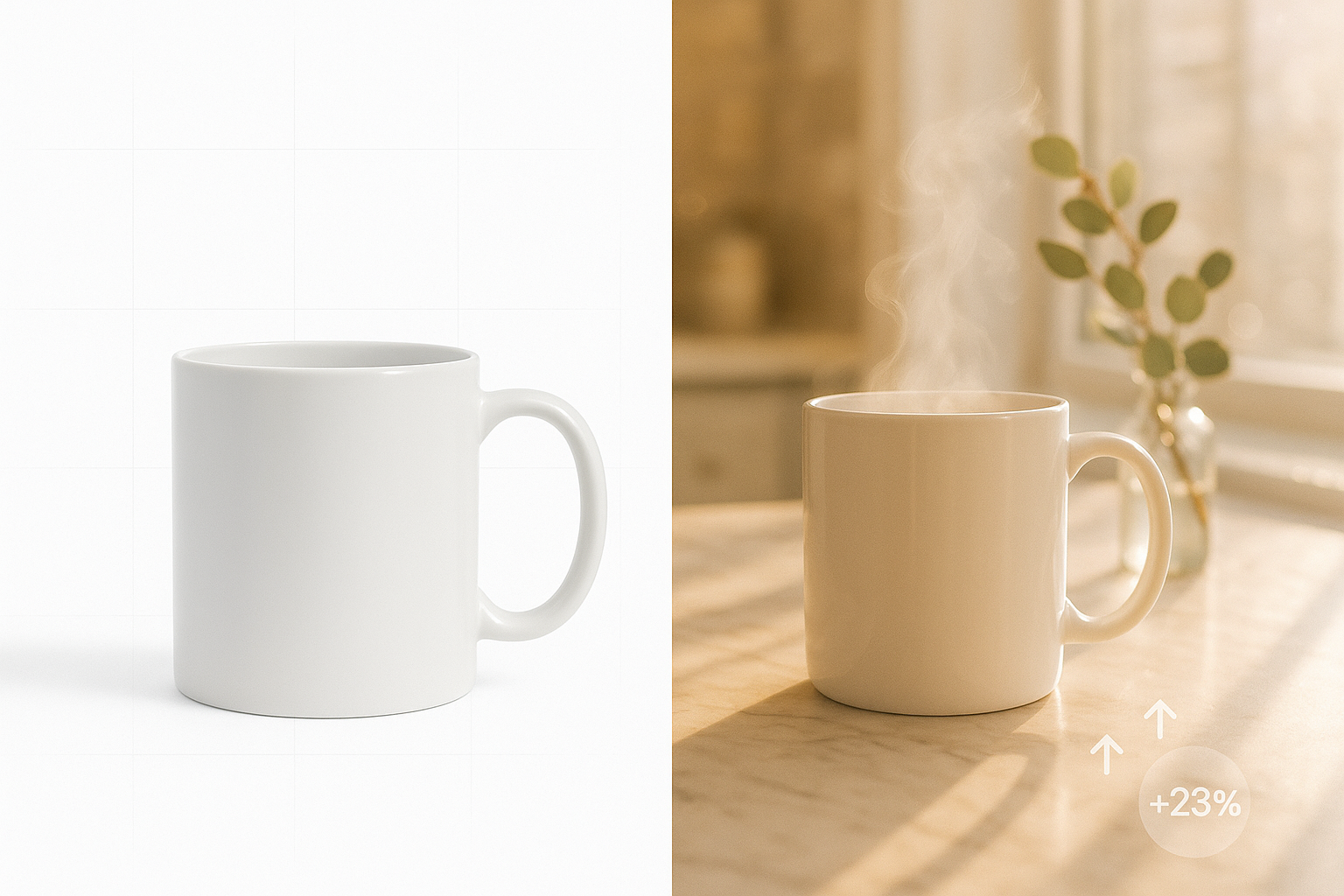
Lifestyle product photos don’t just look pretty — they answer the shopper’s most important question: “What does this look and feel like in my world?” When you show products in believable, on-brand contexts, you increase trust, reduce uncertainty, and accelerate add‑to‑cart. Merchants consistently see improvements in click‑through rate, time on page, and conversion rate when they replace sterile packshots with conversion-focused lifestyle imagery.
The good news: you don’t need expensive photoshoots to get there. With an AI lifestyle photo editor purpose-built for ecommerce — like Supra AI Photo Studio — you can produce studio-grade lifestyle images and short videos in minutes, right inside your Shopify workflow.
- Try the app: https://apps.shopify.com/supra-ai-photo-studio
- Explore the demo and features: https://supra-ai-photo-studio.sktch.io/
What Exactly Is a Lifestyle Product Photo?
A lifestyle product photo shows a real-world context that matches your buyer’s use case. Think: a watch resting on linen and leather accessories, a skincare bottle near a vanity mirror with morning light, or sneakers on textured concrete at golden hour. The scene provides scale, mood, and intent — all signals that reduce friction and make your product story irresistible.
A Step-by-Step Workflow You Can Repeat for Any Product
Below is a fast, reliable process you can run per SKU to create consistent, on-brand visuals — no studio required.
- Audit and Plan Your Visual Story
- Define the setting: kitchen, office, trail, boutique, gym.
- Clarify the moment: unboxing, first use, detail inspection, in-motion.
- Decide the angle: flat-lay, three-quarter, macro, on-model, top-down.
- Pick your key shot list: hero lifestyle, context mid-shot, detail/macro, variant/scale.
- Prep a Strong Base Image
- Start with the sharpest product image you have.
- In Supra AI Photo Studio, use Background Remover to isolate the product cleanly. This helps placement and lighting look natural.
- Run Auto Enhance to fix exposure, white balance, and clarity; use Upscale for crisp edges that survive zooms on PDPs.
- Place Your Product in the Right Scene (Object Placement)
- In the app, use Object Placement to choose a setting, surface, camera angle, and lighting style.
- Example prompts you can try:
- Fine-tune details like reflections, shadow direction, and height to match the product’s real proportions.

- For Fashion: Create On-Model Shots with AI Try-On
- Choose or create models that reflect your customer segments (skin tones, sizes, ages, vibes).
- Maintain product accuracy (fabric drape, prints, logos, stitching) for trust and returns reduction.
- Generate multiple poses for banners, PDP galleries, and ads — keep lighting consistent across the set.

- Create Video Variations for Ads and PDPs
Static images convert; motion seals the deal. Use the app’s UGC Video Generator and B‑roll tool to make short clips that highlight materials, movement, or benefits — perfect for PDP galleries, Reels, and paid social.
- UGC-style explainer: voiceover, quick cuts, real-life setting.
- Cinematic b‑roll: slow pan, dust or liquid splash effect, top-down reveal.
Watch a quick demo: https://www.youtube.com/watch?v=M2ISy20la78
Composition Tactics That Move the Needle
- Rule of thirds for heroes: Place the product on an intersection; leave negative space for headlines or badges.
- Establish scale: Include human hands, common objects (books, keys, mugs) or environment cues (tiles, countertop seams).
- Guide the eye: Use leading lines (table edges, window frames) pointing to the product.
- Keep it consistent: Lock in one or two lighting styles and surfaces per collection to avoid a “mishmash” catalog.
- Color psychology: Match backdrop hues to your brand and product tone. Warm woods and daylight = cozy and inviting; cool concrete and rim light = premium and technical.
Technical SEO for Faster Pages and Better Rankings
Even the best lifestyle photo won’t convert if it slows your store.
- Use WebP or AVIF for primary images; keep a JPEG/PNG fallback where needed.
- Compress aggressively while preserving texture detail (target 150–300 KB for PDP images where possible).
- Crop smartly for Shopify: 1:1 for grids, 4:5 or 3:4 for PDP hero; keep the subject centered for auto-crops.
- Write descriptive alt text: include the keyword and attributes (e.g., “Lifestyle photo of vegan leather tote on sunlit linen, camel color”).
- Name files for search: brand-product-lifestyle-kitchen.webp rather than IMG_8483.webp.
- Reference lifestyle images in Product schema so search engines surface rich results.
- Enable lazy loading and set proper dimensions to reduce layout shifts; optimize the main hero for LCP.
A/B Test Ideas to Prove the Lift
Test one variable at a time on your PDP gallery or collection cards:
- Scene context: “studio neutral” vs. “real kitchen” for cookware.
- Angle: top-down flat-lay vs. 45° three-quarter.
- Human presence: product alone vs. in hand or on-model.
- Motion: first frame static vs. first frame is a 5–8s b‑roll loop.
Metrics to watch: add-to-cart rate, PDP time on page, image interaction rate, and revenue per session.
Quality Control Checklist (Copy/Paste for Your Team)
- Product edges clean; no halos or mismatched shadows.
- Lighting direction and color match across the set.
- Scale accurate; proportions believable.
- Textures intact after upscaling/compression.
- Alt text written; filenames SEO-friendly.
- PDP gallery order: hero lifestyle → context mid-shot → detail/macro → on-model/scale → video.
Why Use Supra AI Photo Studio for This Workflow
Supra AI Photo Studio centralizes the entire lifestyle image pipeline inside your Shopify admin:
- Background removal, upscaling, and auto-lighting to fix base shots.
- Object placement to put products into kitchens, offices, outdoors, boutiques, and more — with control over camera angle and lighting.
- AI Try‑On for fashion to produce accurate on‑model images in minutes.
- UGC and b‑roll video generation for PDPs and ad creative.
- Mockup embedding for apparel, packaging, mugs, and more.
Start here:
- Install on your store: https://apps.shopify.com/supra-ai-photo-studio
- Tour the features: https://supra-ai-photo-studio.sktch.io/
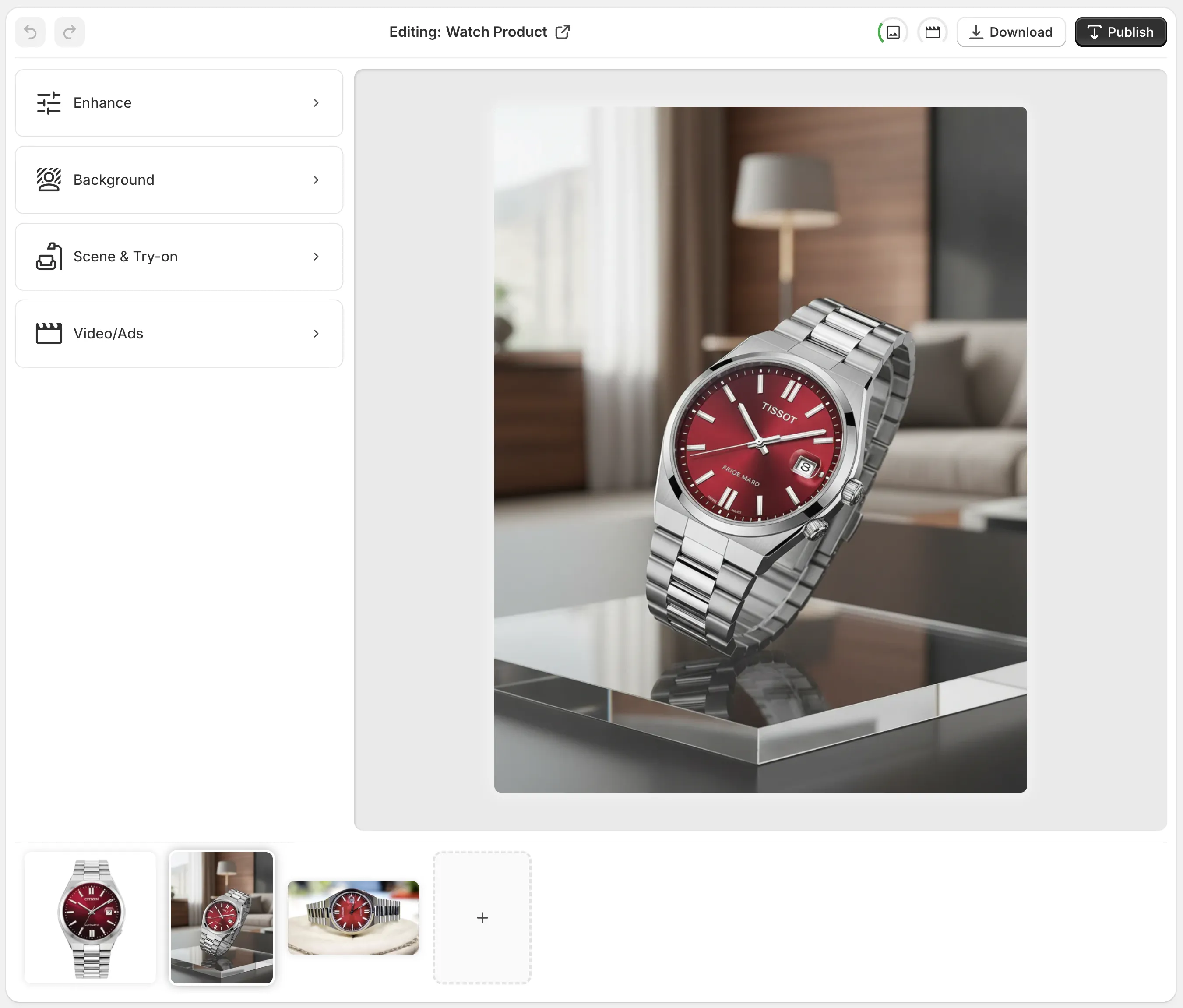
- Learn the editor layout: https://supra-ai-photo-studio.sktch.io/images/help/editor-overview.webp
Putting It All Together (Example Flow)
- A home fragrance brand needs holiday visuals fast.
Result: higher scroll depth, more ATCs, and stronger ROAS in retargeting.
Elevate your catalog from “good enough” to “I need this.” Create high-conversion lifestyle product photos in minutes with AI.
- Install Supra AI Photo Studio: https://apps.shopify.com/supra-ai-photo-studio
- See what it can do: https://supra-ai-photo-studio.sktch.io/