How to Build an N8N Workflow for Automated Short-Form Video Generation
If short-form video keeps your brand visible on TikTok, Reels, and Shorts—but production is eating your time—automating it in n8n is the fastest path to consistent publishing. In this tutorial, you’ll build an end-to-end n8n workflow that takes ideas or product data, generates vertical videos with AI, and publishes them on a schedule. We’ll use Scrptly’s AI Video-Agent, which turns a single prompt (plus optional reference images) into a ready-to-post video.
Why Scrptly + n8n?
- Scrptly is great at consistent characters, scenes, and environments—even across longer videos.
- It handles research, scripting, voiceover, scenes, and editing automatically from a single prompt.
- It offers an API, MCP server support, and an official community node for n8n.
- Perfect for UGC-style ads, product showcases, educational snippets, and news explainers.
Learn more: Scrptly homepage → https://scrptly.com/ and Scrptly N8N node → https://github.com/ybouane/n8n-nodes-scrptly
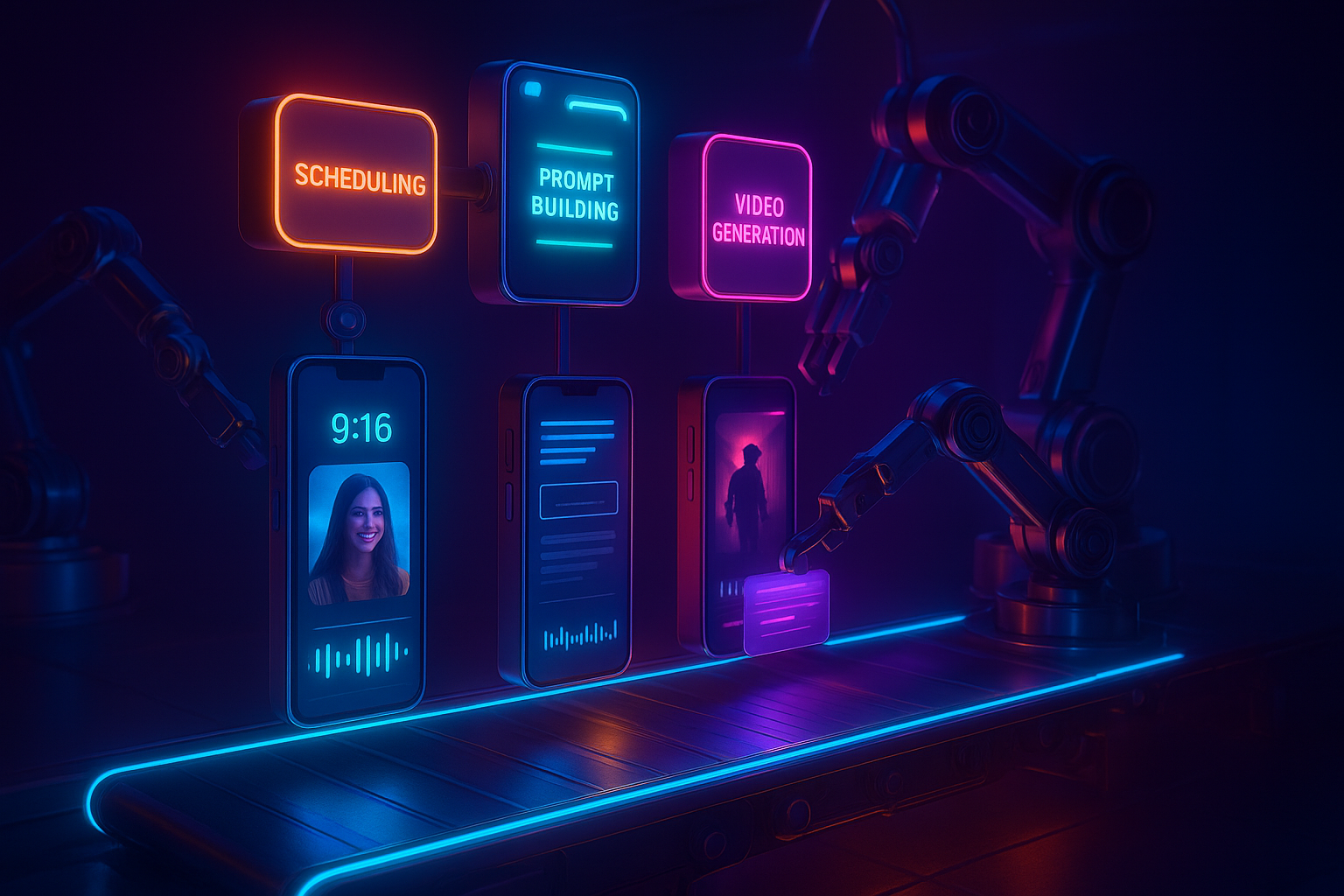
What you’ll build
- Trigger: Schedule (every day at 9 AM) or Webhook to start on demand.
- Data source: Fetch ideas or products (e.g., product feed, Airtable/Notion, Google Sheet).
- Prompt builder: Create dynamic prompts with hooks, benefits, and CTA.
- Scrptly node: Generate 9:16 videos with narration and captions.
- Distribution: Save to storage and optionally auto-post to social.
Prerequisites
- An n8n instance (self-hosted or cloud)
- A Scrptly account and API key: https://scrptly.com/
- Optional: Accounts/credentials for platforms you’ll publish to (Drive/S3, YouTube, Instagram, etc.)
Step 1 — Install the Scrptly node
- In n8n: Settings > Community Nodes > Install New → search and install n8n-nodes-scrptly
- Go to Credentials → New → choose Scrptly API and paste your API key from your Scrptly account
- Save credentials and select them in your workflow’s Scrptly node
Reference: https://github.com/ybouane/n8n-nodes-scrptly
Step 2 — Set up your trigger
- For consistent output, use a Schedule Trigger (e.g., daily at 09:00 local time)
- For on-demand generation (e.g., from your store backend), use a Webhook Trigger
Step 3 — Pull ideas or product data
- Use HTTP Request, Notion, Airtable, or Google Sheets nodes to load items. Include: title, description, benefits, price/offer, and optional image URLs to use as context.
Why context images? Scrptly leverages image references for character/object/environment consistency—critical for brand visuals and product continuity across episodes.
Step 4 — Build your prompt dynamically
Use a Set or Code node to compose a rich prompt for each item. Consider:
Use a Set or Code node to compose a rich prompt for each item. Consider:
- Hook: 1–2 seconds to stop the scroll
- Body: 3 short beats (benefit, proof, how-to/use)
- CTA: clear and memorable
- Format: 9:16, 20–30s, energetic pacing, readable captions
Prompt template you can copy
Create a vertical 9:16 short-form video (20–30 seconds) with punchy pacing, crisp jump cuts, and clear on-screen captions. Include natural-sounding voiceover and subtle background music.


Topic: {{title}}

Target audience: {{persona}}

Product/subject: {{product_name}}

Core benefits: {{benefits}}

Key proof points: {{proof}}

Hook (first 2–3s): {{hook}}

CTA: {{cta}}

Visual style: modern UGC + b-roll montage, macro product details, soft lighting, handheld feel.


Constraints:

- Keep characters and product visuals consistent across scenes.

- Color grade to brand palette: {{brand_palette}}

- Add on-screen captions synced to VO.

- End with logo lockup and CTA card.


If provided, integrate these reference images for consistency:

{{context_image_urls}}
Tip: Map your data fields into this prompt with n8n expressions like {{
json["title"]}} and {{json["imageUrls"].join(", ")}}.Step 5 — Generate the video with Scrptly
Add the Scrptly node and configure:
Add the Scrptly node and configure:
- Prompt: the string you built above
- Context images: pass any product/brand references (URLs)
- Approve Up To: default 10,000 tokens (adjust for complexity/length)
- Wait For Completion: On (synchronous, easier) or Off (asynchronous, continue with task ID)
Scrptly will handle: screenplay, storyboarding, scene generation, consistent characters/objects, voiceover, captions, and editing. It outputs a final video file URL.
Step 6 — Store and publish
- File storage: Upload to S3/Cloudflare R2/Google Drive
- CMS/DB: Log metadata (title, caption, tags, UTM link)
- Publishing: Use respective n8n nodes or webhooks to post to your channels (YouTube Shorts, Instagram Reels, TikTok’s upload endpoints via third-party tools). If direct posting isn’t available for a platform, queue content in your scheduler or send to your social team via Slack/Email with the file link.
Optional Step — Asynchronous handling
If you disable "Wait For Completion":
If you disable "Wait For Completion":
- Store the task ID from Scrptly
- Use a Wait + Poll pattern (e.g., Interval + HTTP Request to Scrptly API) to check status
- Continue only once the final video URL is ready
Developer tip: Prefer queues for scale; generate multiple items in parallel and publish across the week.
Suggested n8n workflow layout (high level)
- Trigger (Schedule or Webhook)
- Fetch Items (HTTP Request / Notion / Airtable / Sheet)
- Filter/Limit (avoid generating too many at once)
- Build Prompt (Set or Code)
- Scrptly (Generate Video)
- Storage (S3/Drive)
- Caption/Title Generator (optional LLM to refine copy)
- Publish (platform nodes or webhooks)
- Log + Notify (DB + Slack/Email)
Code node example for prompt assembly
// n8n Code node (JavaScript)

const item = $json;

const images = (item.imageUrls || []).join(', ');

const prompt = `Create a vertical 9:16 short-form video (20–30 seconds) with punchy pacing, captions, and natural voiceover.\n\nTopic: ${item.title}\nTarget audience: ${item.persona || 'busy online shoppers'}\nProduct/subject: ${item.productName}\nCore benefits: ${item.benefits}\nKey proof points: ${item.proof || 'customer reviews and results'}\nHook (first 2–3s): ${item.hook}\nCTA: ${item.cta}\nVisual style: modern UGC + b-roll montage, macro product details, handheld feel.\n\nConstraints:\n- Consistent characters and product visuals across scenes.\n- Color grade to brand palette: ${item.palette || 'warm neutrals + teal accents'}\n- On-screen captions synced to VO.\n- End with logo lockup and CTA card.\n\nReference images:\n${images}`;

return [{ json: { prompt, context_image_urls: images } }];
Best practices for short-form automation
- Start with a strong hook: Ask a bold question or reveal a surprise in the first 2 seconds.
- Keep text scannable: 3–5 words per caption segment; high contrast; safe-zone margins.
- Aim for 20–30 seconds: Fast cuts and purposeful b-roll.
- Use context images: Product photos or logo for visual consistency.
- Batch prompts: Generate 5–10 videos per topic to A/B test hooks and CTAs.
- Add UTMs: Track performance by channel in your captions or description links.
- Respect platform nuances: Aspect ratio 9:16, loudness normalization, subtitles on.
Why choose Scrptly for this workflow
- Consistency engine: Characters, objects, and environments stay coherent across scenes.
- All-in-one pipeline: Research, screenplay, narration, editing—no handoffs required.
- Built for length: While we’re automating shorts here, Scrptly also shines with longer-form content.
- Developer-friendly: API, MCP integration, and a visual editor. It also has an n8n node and a Video Development Kit (VDK) via npm.
Try it now: https://scrptly.com/
Bonus: Programmatic alternative (outside n8n)
Prefer code-first automation? Install the SDK and generate videos in scripts or serverless functions.
Prefer code-first automation? Install the SDK and generate videos in scripts or serverless functions.
npm install scrptlyimport Scrptly from 'scrptly';
Scrptly.setApiSettings({ apiKey: process.env.SCRPTLY_API_KEY });
const prompt = `Create a 20–30s vertical product reel with captions and VO. Topic: Eco water bottle.`;
const contextImages = [
'https://example.com/images/bottle-front.jpg',
'https://example.com/images/logo.png'
];
// Pseudocode – use the Video-Agent API method exposed by Scrptly
const task = await Scrptly.videoAgent.create({ prompt, contextImages, approveUpTo: 10000 });
// poll or wait until task.status === 'completed'
// then access task.videoUrl
Troubleshooting
- Video takes long: Simplify your prompt or increase "Approve Up To" budget.
- Visual mismatch: Supply more (and clearer) context images; specify required shots.
- Captions hard to read: Request high-contrast captions and safe-zone margins in the prompt.
- Publishing fails: Validate platform credentials and file size limits; retry with backoff.
Take the next step
Automate your short-form content pipeline today. Combine n8n’s orchestration with the Scrptly AI Video-Agent to publish consistently—without adding headcount. Start building here: https://scrptly.com/
Automate your short-form content pipeline today. Combine n8n’s orchestration with the Scrptly AI Video-Agent to publish consistently—without adding headcount. Start building here: https://scrptly.com/