How to Build a Maintainable Video Template System with VideoFlow
I used to think the hard part of video automation was rendering. It usually is not. The real problem is keeping a template understandable after the first few revisions, when layout, timing, and output rules start drifting in different directions.
VideoFlow is useful when you want one video system that stays modular. The cleanest version is simple: keep one structured source of truth, split scenes into reusable pieces, and let the same JSON drive browser export, server rendering, and live preview. That is what makes the template maintainable instead of fragile.
What I aim for
- one template that I can review in Git
- one data model that can render anywhere
- one editor path that does not become the source of truth
If you have already read How to Make Video Templates Diffable in Git with VideoFlow, How to Build a VideoJSON Pipeline for Browser, Server, and React, and How to Keep One Video JSON Source of Truth for Preview, Edit, and Export, this is the practical version I use when I actually build and maintain the system.
1. Start with the template contract
I like to define the structure first:
- what data the scene needs
- what the scene can animate
- what is safe to let users edit
- what must stay locked
That split keeps a template from becoming a pile of ad hoc exceptions. In
@videoflow/core, the fluent API and VideoJSON output help because the project can be authored in code, compiled into portable VideoJSON, and reloaded later without losing the shape of the scene.
2. Separate scene modules from rendering choices
The biggest maintainability win is separating the thing you are describing from the thing that renders it. A product demo, onboarding clip, or promotional reel should not need a new template just because the export path changes.
VideoFlow supports three renderers that cover the common jobs: browser export, server-side rendering, and live DOM preview. That makes it easier to treat rendering as a deployment decision instead of a rewrite. If you want the deeper breakdown, How to Add Browser MP4 Export Without Forking Your Video Template, How to Build a Portable JSON-to-Video Pipeline with VideoFlow, and How I Keep One Video Workflow Portable Across Browser, Server, and React all point in the same direction.

3. Keep reusable parts small
I prefer scene pieces that can be reused without dragging the whole project around:
- titles and lower thirds
- product cards
- captions
- background treatments
- outro cards
That is where
$.group() and the layer model matter. Group the parts that should move together, keep keyframes local, and avoid building everything as one giant timeline. A template gets easier to reason about when each piece has one job.For ecommerce teams, this also makes product-aware videos simpler. You can feed product data into the right places without rewriting the whole composition every time the SKU or message changes.
4. Let the editor edit the right layer
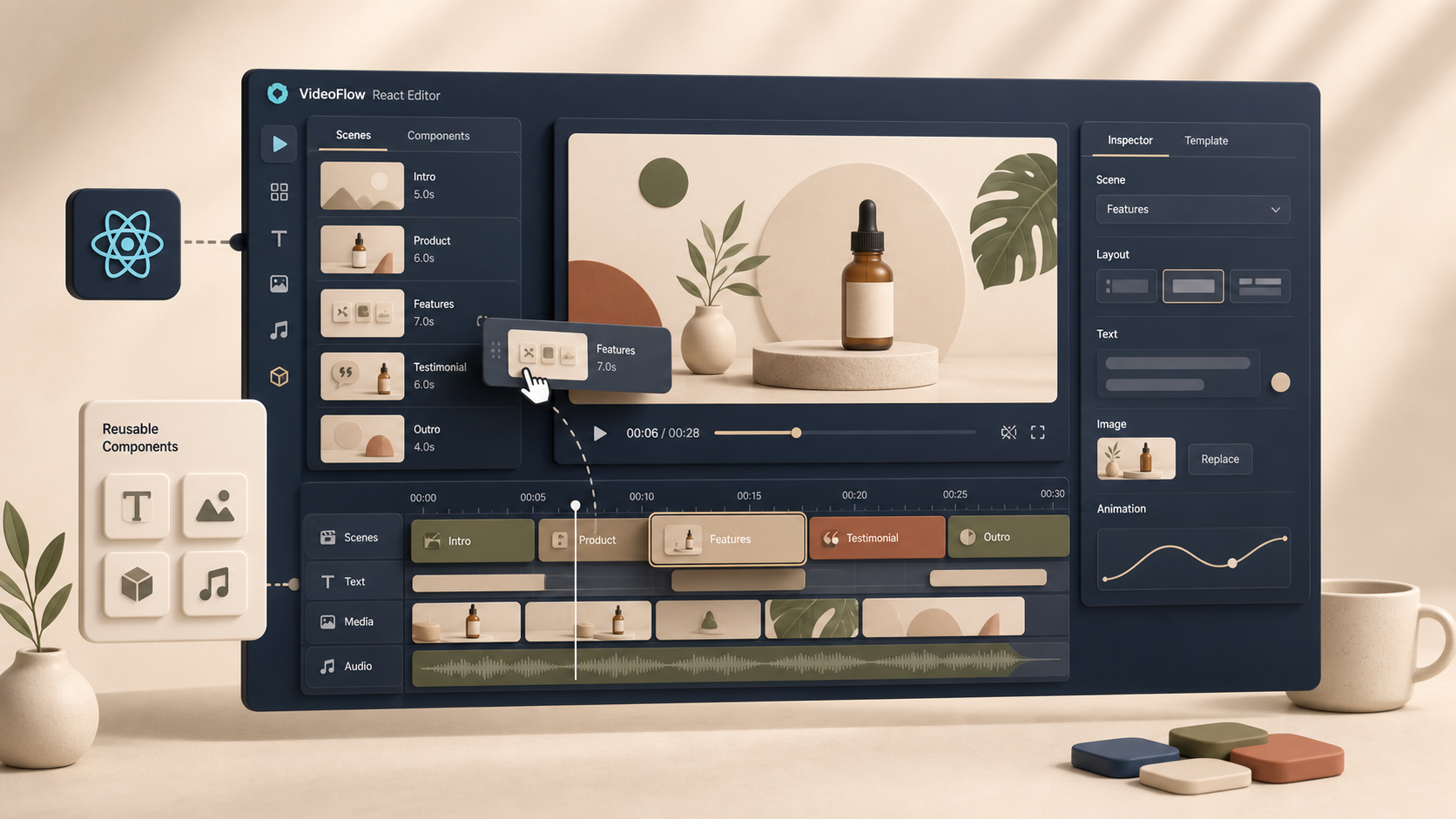
If you use the React video editor, the goal is not to turn the editor into the source of truth. The goal is to let people change safe things without breaking the system.
That means:
- editable fields for copy, images, and scene choice
- locked structure for timing, transitions, and output rules
- clear boundaries between what a marketer can change and what a developer owns
VideoFlow’s React editor is a good fit for that because it gives you a multi-track timeline, live preview, keyframes, and MP4 export, while still keeping the data model portable. If you want the browser/export angle, How to Build a Browser-Based MP4 Exporter Without a Rendering Server is the companion piece. If you want the editor angle, How I Built a React Video Editor Around Portable JSON with VideoFlow is the natural follow-up.
5. Review templates like product code
This is where maintainability really shows up. I want to review template changes the same way I review app code:
- small diffs
- clear defaults
- predictable output
- no hidden behavior
That is why a JSON-first model is helpful. It makes the template diffable, storable, and easy to regenerate. It also makes it practical to version a video system in Git instead of treating every export like a one-off artifact.
The template should survive a handoff. If another person opens it later, they should be able to see what changed and why without reconstructing the whole scene in their head.

6. A simple way to keep the system healthy
If I were setting this up for a small team, I would start with one template and one output path:
- Build the master scene in
@videoflow/core. - Compile it to VideoJSON.
- Render it in the browser first if you want fast iteration.
- Add server rendering when you need automation or batch output.
- Add the React editor only after the core template is stable.
That sequence keeps the system from getting tangled too early. It also keeps the maintenance burden low, because each new capability is layered onto a clean base instead of forcing a redesign.
7. When VideoFlow is the right tool
I would reach for VideoFlow when the video needs to be:
- repeatable
- data-driven
- versionable
- editable by more than one person
- rendered in more than one environment
That includes ecommerce demos, marketing variants, automated social clips, and in-app video tools. It is less interesting if you want fully manual creative editing. Traditional editors still have their place. VideoFlow is strongest when structure matters more than freeform timeline work.
If you want the product details, the docs, core API, renderers, and React video editor are the fastest places to start.
Conclusion
A maintainable video template system is not about adding more abstraction. It is about reducing the number of places where the same decision can drift. VideoFlow works well when you keep one structured source of truth, separate template logic from render choices, and only let the editor touch the parts that are safe to change.
If you want the shortest path, start with one reusable scene, one JSON output, and one renderer. Once that stays stable, add the rest.