How I Set Up a Shopify AI Agent With Guardrails
I keep seeing the same problem in Shopify stores: too many repetitive tasks are being handled by a person who is already stretched thin. That is exactly why Clawly caught my attention. It is the closest practical version of OpenClaw for Shopify I have seen so far: an AI Agent for Shopify that can work across store operations, marketing, product work, monitoring, and support, but only inside the permissions you give it.
If you want to look at it directly, here are the two links I would start with:

My rule for this kind of tool is simple: I do not start by asking it to run the store. I start by asking it to do one narrow job better than I can do it manually, every day, without me babysitting it. For me, that means a daily report, a low-inventory alert, or a product cleanup assistant before anything else.
Start With One Assistant, Not Ten
The first mistake I would avoid is building a broad “AI manager” and giving it too much room on day one. That feels efficient until it touches the wrong product, the wrong note, or the wrong customer message. I would rather start with one assistant that has a boring, useful job and a tight scope.
A good first assistant in Clawly is usually one of these:
- A morning store report that summarizes revenue, orders, best sellers, and exceptions.
- A low-inventory monitor that pings me before I run out of stock.
- A product cleanup helper that drafts better titles, tags, and descriptions.
- A support drafting assistant that handles common questions and escalates the edge cases.
That is the part I like about the product positioning. Clawly is not trying to sell me on magical autonomy. It is trying to help me build a Shopify AI assistant that can act, but only inside a narrow box.
Connect Only The Tools The Assistant Actually Needs
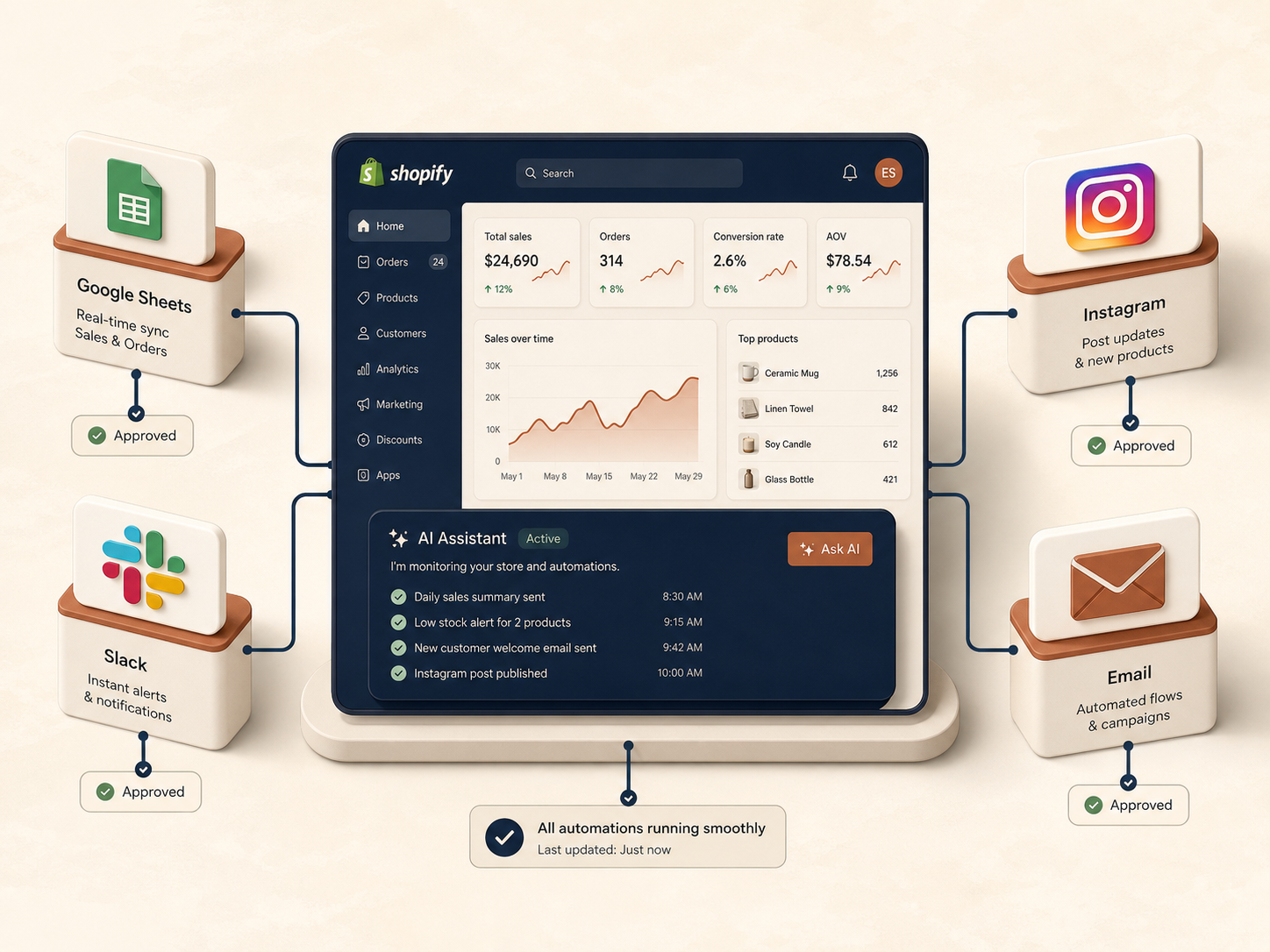
Clawly says it connects to Shopify plus 50+ integrations, and I would treat that as a menu, not a mandate. More integrations are only useful when they are tied to a specific workflow.
For a store ops assistant, I would start with Shopify plus one or two of these depending on the job:
- Google Sheets for tracking and handoff.
- Slack for alerts that a human needs to see fast.
- Email for reports or customer follow-up drafts.
- Instagram if the assistant is generating marketing content.
The workflow image above is the model I would follow: one store center, a few approved tools, and a clean handoff back to the merchant when attention is needed. That is much safer than connecting everything and hoping the agent behaves.
If you are building the content side of the stack too, the same operating principle shows up in other posts I have written, especially How to Automate a Shopify Blog Without Generic AI Drafts and How to Turn Shopify Products Into SEO Blog Posts on a Schedule. The common thread is always the same: narrow the workflow first, then automate it.
Guardrails Are The Product, Not A Side Feature
This is the part that matters most to me. I do not want an agent that is clever. I want an agent that is constrained.
Clawly’s “Secure by Design” positioning is the right instinct here because the real value is not just that the assistant can take action. It is that I can decide exactly what it can read, what it can change, and what needs review.

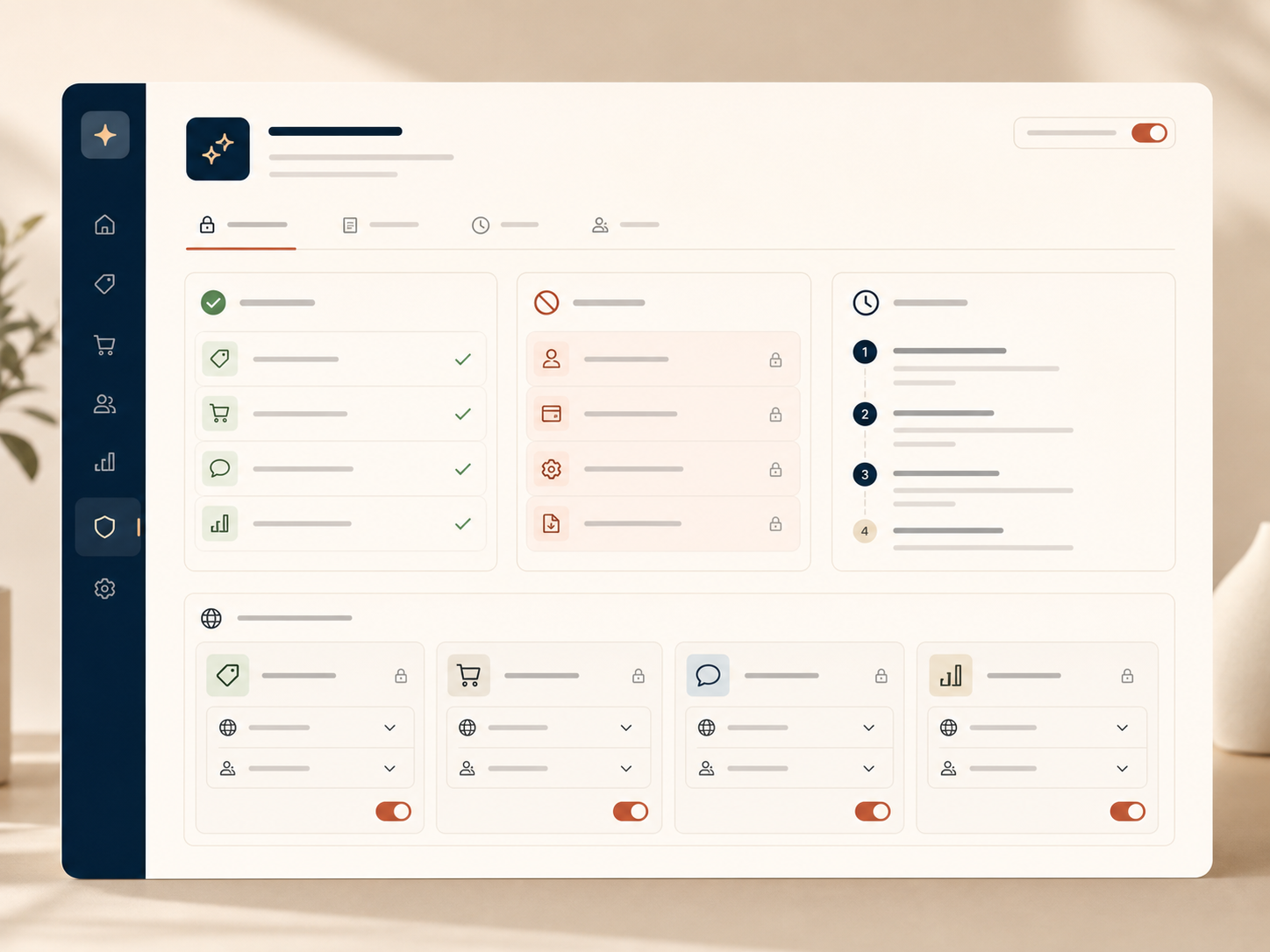
Here is the guardrail setup I would use:
- Start with read-only access wherever possible.
- Allow one action class at a time, not the full admin surface.
- Require review before sensitive changes, especially anything that affects pricing, customer-facing copy, or inventory.
- Keep the scope tied to one use case so you can audit what the assistant is doing.
That is the difference between useful automation and an expensive mistake. A store assistant should reduce attention load, not create new cleanup work.
The First Automations I Would Actually Ship
If I were setting this up for a real store, I would not build a complicated roadmap on day one. I would ship three or four assistants that save time immediately and prove that the workflow is stable.
1. Daily Sales Report
Every morning, the agent sends a short summary with revenue, order volume, top sellers, and anything unusual. That gives me a quick read before I open admin. It is also the easiest way to get value fast, because the logic is straightforward and the result is easy to verify.
2. Low Inventory Alerts
This is the next highest-value task in most stores. If stock is getting thin, I want to know before the listing starts to hurt conversion or I get forced into reactive restocking. An assistant that watches inventory and flags exceptions is a better use of AI than a bot that guesses at strategy.
3. Product Cleanup and SEO Drafting
Clawly’s product page says it can help with product updates, SEO titles, collection organization, and catalog cleanup. That is exactly the kind of work I would hand it after I trust the basic alerting loop. I would still review the output, but I would rather review a draft than write every title and tag from scratch.
If you want the adjacent workflow for this, I would pair it with How to Bulk Edit Shopify Products, Variants, and SEO Fields Without Mistakes. That post lines up well with the same operational mindset: smaller changes, tighter review, fewer surprises.
4. Support Drafting Assistant
I would use this only after I had confidence in the earlier automations. Support is high-value, but it is also easy to get wrong if the assistant is too loose. The safer pattern is draft first, escalate second, send only when the task is repetitive and clearly bounded.

What I Would Watch In The First Week
The first week is not about speed. It is about confidence.
I would watch for three things:
- Did the assistant complete the task without extra cleanup?
- Did it stay inside the permissions I gave it?
- Did it reduce the number of manual touches I had to make?
If the answer to all three is yes, then I would expand the assistant a little. If not, I would tighten the scope instead of adding more tooling. That is usually the right move with ecommerce automation. Most bad automation is not caused by a lack of capability. It is caused by a lack of restraint.
If you are also thinking about adjacent store workflows, I would read How to Create Studio-Quality Shopify Product Photos From Plain Shots next. Once the operational layer is stable, the marketing layer becomes much easier to trust.
My Take
Clawly makes the most sense to me as a Shopify AI assistant with guardrails, not as a vague “AI can do everything” promise. That is the right framing for store owners who want help with operations, reporting, and support without handing over the keys.
If I were starting today, I would install Clawly, create one assistant for a daily report or low-inventory alerts, and only expand permissions after a week of clean runs. That is the practical version of Shopify automation I would actually trust.
Start with Clawly or check the Shopify App Store listing if you want to compare the setup against the product details first.