How I Map Notion Fields to Webflow CMS Without Breaking Formatting
I used to treat Notion and Webflow like two separate jobs: write the post in one place, then spend an hour cleaning it up in the other. That works for a tiny draft. It falls apart the moment the article has images, dates, links, or a few blocks that actually need structure.
SyncFlow is interesting because it does not ask you to abandon Notion. It asks you to make the handoff intentional. You connect Notion to a Webflow CMS collection, map the fields, and let the sync move the content instead of copying and pasting it by hand.

The workflow only stays sane if the database shape is sane first. If I were setting this up today, I would do it in this order:
- Decide which Notion database owns the content.
- Mirror the Webflow collection fields before syncing anything.
- Test one post manually.
- Turn on auto-sync only after the output looks predictable.
Start With The Database Shape
The most expensive mistake here is trying to sync a messy source into a neat destination. Webflow does not fix a bad content model. It just makes the mismatch obvious.
What I map first is boring on purpose: title, slug, summary, cover image, publish date, and any source URL or canonical link. After that, I decide which parts of the Notion page should remain structured fields and which parts should stay in the body.
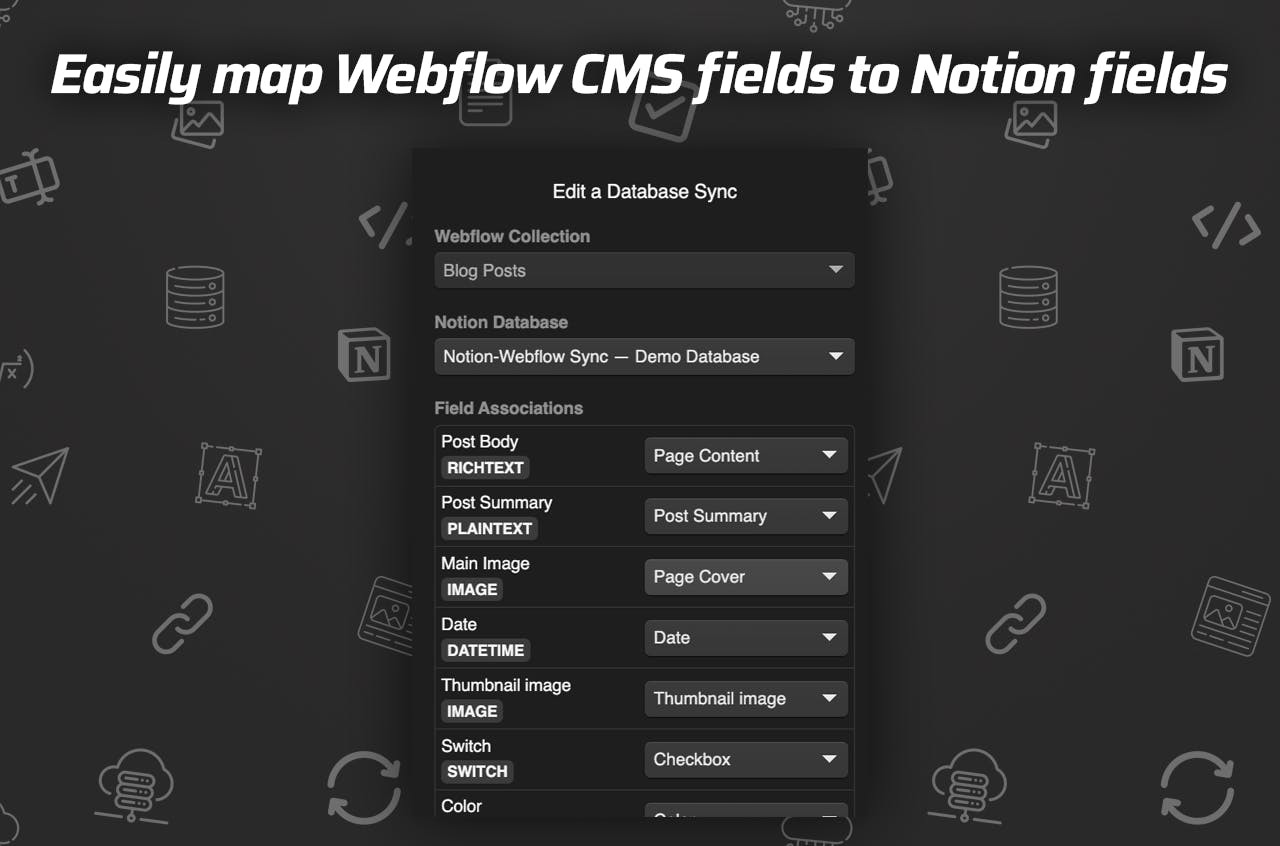
SyncFlow supports text, images, checkboxes, dates, URLs, and other common field types, which matters more than it sounds like it should. The minute you have to flatten everything into one generic rich-text blob, the workflow starts to leak. The page may still sync, but it becomes harder to edit, filter, or reuse later.
I covered the reverse side of that problem in How I Move Notion Drafts Into Webflow Without Reformatting Everything. Same lesson, different direction: the closer your source structure is to your destination structure, the less cleanup you have to do.
Map The Fields Before You Sync
SyncFlow says the setup is basically three steps: install, map fields, sync. That sounds simple because it is simple. The catch is that the mapping step is where the real work lives.
For a blog post, I want the collection to handle the things I will need again later:
- Title and slug for the post identity
- Cover image for the card and social preview
- Date for ordering and freshness
- URL fields for sources, references, or canonical links
- Checkbox or status fields for review states
Anything that is likely to change independently should stay in its own field. Anything that belongs to presentation only should not become part of the source content.
The other part I check here is formatting. SyncFlow can import Notion elements with inline styling or classes, which means you do not have to choose between losing the original structure and rebuilding the page by hand. If the article has code blocks or math, the product also supports code highlighting and TeX rendering, which is exactly the kind of detail that keeps technical content readable after sync.
Use Sync Settings As Guardrails
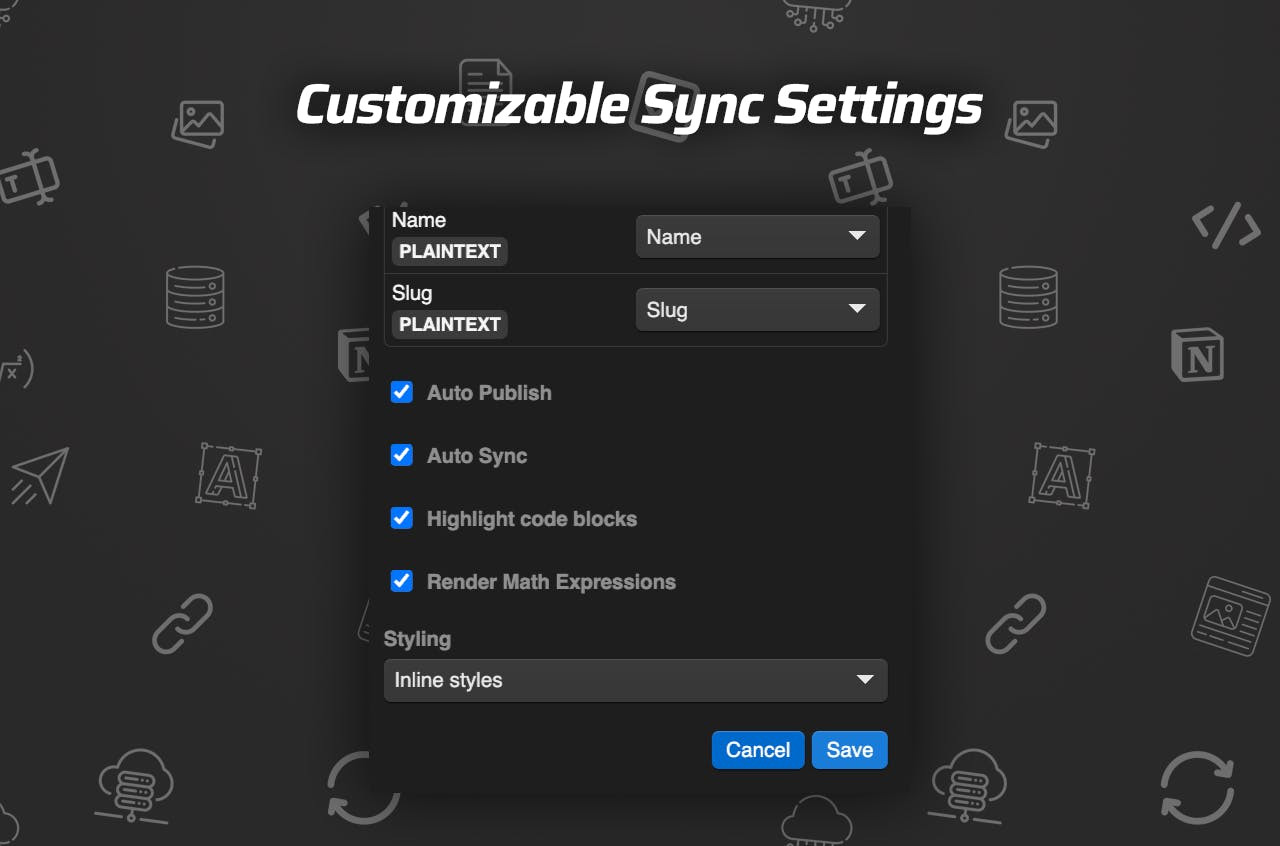
This is the point where most people get too enthusiastic about automation. I would not turn on auto-publish until I had already verified one clean sync. Otherwise, the system just publishes the same mistakes faster.
My rule is simple:
- Start with one representative article.
- Sync it manually.
- Check the Webflow CMS entry and the rendered page.
- Only then enable auto-sync or auto-publish.
That sounds cautious, but it saves time. A clean first mapping is much easier to maintain than a broken collection that keeps drifting out of shape.
The full tutorial on the product page is worth watching if you want the exact setup sequence:
If you want the product itself, the site is here: SyncFlow.
Keep Formatting Explicit
One thing I like about this approach is that it treats page linking as a real content relationship, not just another link field. Links between Notion pages can become links between Webflow posts, which is exactly what I want when a blog starts to form a cluster instead of a pile of isolated pages.
That same structural discipline shows up in a few other posts I wrote:
- How to Audit a Webflow Site Before You Export It
- How to Self-Host a Webflow CMS Site Without Rebuilding It
- How to Keep Shopify Blog Drafts Product-Aware and Reviewable
- How to Automate a Shopify Blog Without Generic AI Copy
Those posts are about different tools, but the pattern is the same: define the structure before you automate the movement.

When Full Resync Is Worth It
The one SyncFlow feature I would reserve for the right moment is the full resync. It is useful when you already have a database in place and want the whole Webflow collection to match the Notion database again.
That is a migration tool, not a daily habit. I would use it when:
- The Notion schema has changed.
- An older collection needs to be brought back into alignment.
- The first sync was partial and I want the destination to match the source again.
If the structure is already stable, the normal sync path is enough. Full resync is there for cleanup, not as a substitute for good setup.
What I Would Pay For
The pricing is straightforward enough to make the decision easy. The standard plan is $8/month and includes one Webflow site install, unlimited syncs, unlimited databases, and unlimited connected fields.
That is the kind of pricing that makes sense if the alternative is paying someone to keep copying the same content between systems. The product is not trying to be a giant content platform. It is trying to remove the boring part of the handoff.
If your current process is still Notion on one side, Webflow on the other, and a person in the middle cleaning up formatting, SyncFlow is probably solving the right problem.
The next step I would take is simple: build one clean Notion database, map the fields to Webflow, and test a single post before you let the sync run on its own.