How I Keep One Video Template Working Across Browser, Server, and Editor
I stopped trusting video workflows that only worked in one place. If the preview looked right in the browser, the server render would drift. If the editor was convenient, the exported MP4 would pick up different timing, different spacing, or a different effect stack. That is the kind of mismatch that wastes time and makes a template feel brittle.
VideoFlow fixes that problem by letting me keep the scene definition portable. I author the video once with <code>@videoflow/core</code>, compile it to VideoJSON, and then render the same structure in the browser, on a server, or in a live DOM preview. The core and renderers are open source, which matters when I want a stack I can inspect, version, and keep for the long haul. The project lives at VideoFlow, with the docs, core docs, renderers docs, React Video Editor, playground, and GitHub repo.

The Part I Keep Central
The thing I refuse to split is the template itself. I keep the structure, timing, transitions, effects, captions, and layout logic in one place, then let different renderers consume that same scene data.
That gives me three benefits right away:
- I can diff the template in Git instead of trying to reason about a hidden timeline state.
- I can render the same scene in multiple environments without rewriting the project.
- I can hand the same source of truth to an editor later, instead of rebuilding the project around a separate data model.
The core API is the piece I anchor on. A simple scene might look like this:
import VideoFlow from "@videoflow/core";
const $ = new VideoFlow({
name: "Product Promo",
width: 1920,
height: 1080,
fps: 30,
});
$.addText(
{ text: "New collection", fontSize: 7, fontWeight: 800 }
);
const videoJSON = await $.compile();
That is enough for me to make the key decision: I am not creating a one-off animation. I am creating a portable asset that can be rendered in more than one place.
When I Use The Browser
The browser renderer is the easiest way to keep export local and interactive. If I want a user to preview and export without shipping the source project to a backend first, the browser path is the one I reach for.
It is also the cleanest option when I want an experience that feels immediate. The browser renderer supports progress callbacks and cancellation, so a user can see whether the export is moving and stop it if they change their mind. That matters more than it sounds like it does, because long exports feel much worse when they are opaque.

I use this path when:
- The export belongs inside a product UI.
- I want to avoid uploading the source project just to render it.
- The template is light enough to run comfortably in the browser.
- I want the user to stay in control of the render.
This is the same reason I like How to Build a Browser-Based MP4 Export Workflow With VideoFlow as a practical pattern. It is the right move when the export is part of the product experience, not a background batch job.
When I Use The Server
The server renderer is what I use when the workflow becomes operational instead of interactive. If I am queueing jobs, rendering batches, or turning data into a lot of exports, I want the backend to own the heavy lifting.
That does not mean I need a different template. It means I need the same template to survive a different execution environment.

I usually switch to server rendering when:
- I need batch throughput.
- A queue or webhook triggers the job.
- The render is too heavy for the browser.
- I want the render to happen behind the scenes with predictable infrastructure.
The important part is consistency. If the browser preview and the server output disagree, the architecture is wrong. I do not want to debug style drift by comparing screenshots from two different systems. I want the same JSON and the same scene rules to drive both outputs.
That is also why I keep a separate note on How I Pick the Right VideoFlow Renderer for the Job. The decision is less about taste and more about where the render belongs operationally.
When I Add The Editor
The editor matters when other people need to touch the same template. A programmer-only workflow is fine until a marketing teammate, operator, or client needs a way to adjust the copy, replace an asset, or reorder a scene without breaking the whole pipeline.
That is where the React editor earns its keep. I do not treat it as a separate product path. I treat it as a different view over the same JSON source of truth.
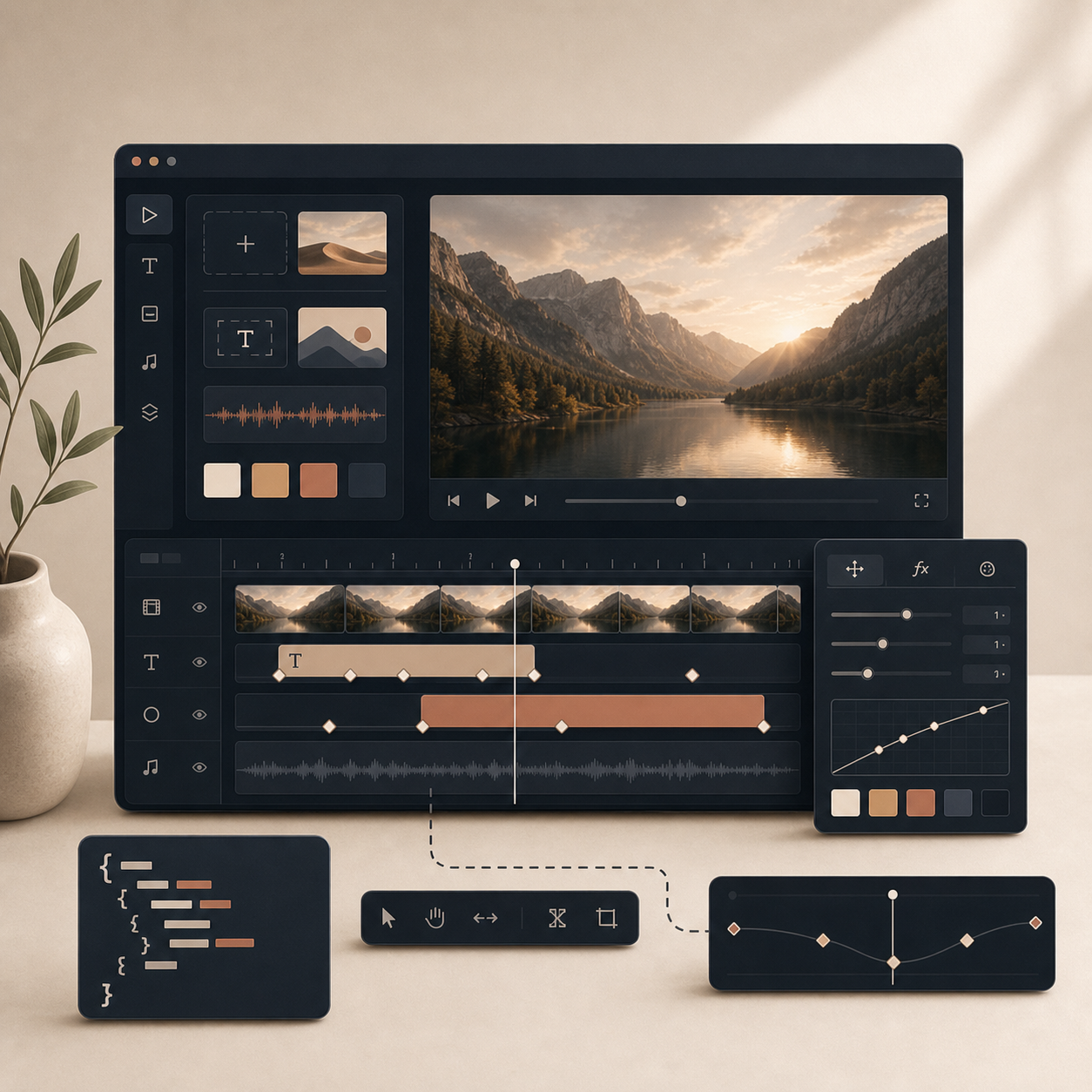
The editor is useful when I want:
- A multi-track timeline instead of a black-box form.
- Drag, trim, snap, and reorder behavior without giving up structure.
- Live preview driven by the DOM renderer.
- Keyframes, transitions, and themeable UI controls in one place.
- MP4 export without forcing the user to learn the template format.
I especially like the fact that VideoFlow exposes the editor as a React component instead of a separate silo. If I am already building in React, I can embed the timeline, wire it to my own save and upload logic, and keep the same JSON flowing through the system.
If you want a deeper breakdown of the editor integration, I covered it in How to Add a React Video Editor Without Rewriting Your Render Pipeline.
The Rules I Use To Avoid Drift
I have learned to keep the rules simple:
- Keep scene logic in one place.
- Let the renderer adapt to the scene, not the other way around.
- Use the browser for interactive export.
- Use the server for batch work.
- Use the DOM renderer and editor when people need to inspect or change the template.
When I follow those rules, the same project can stay maintainable even as the delivery mode changes. That is the real win with a JSON-first video stack. I am not locked into one rendering environment, and I am not rebuilding the template every time the product team asks for a new export path.
This also lines up with what I wrote in How I Build a Video Template System That Survives Renderer Changes. The point is not to make video easier just once. The point is to keep it easy after the first version ships.
What I Would Start With
If I were starting from scratch, I would not begin with the editor. I would start with one small scene in <code>@videoflow/core</code>, compile it to VideoJSON, and render it two ways:
- Once in the browser, to prove the interactive path.
- Once on the server, to prove the batch path.
After that, I would add the editor only if the workflow actually needs human adjustments.
That order keeps the stack honest. It forces me to prove that the template itself is portable before I add convenience layers on top of it.
Bottom Line
If you need a video workflow that survives browser export, server rendering, and editor-driven changes, I would keep the template in VideoFlow and treat VideoJSON as the contract. That gives you one definition, more than one renderer, and fewer surprises when the project grows.
Start with the playground, read the core docs and renderers docs, then decide whether the browser path, the server path, or the React editor is the first real constraint in your workflow.