How I Keep a Webflow Blog Synced to Notion Without Manual Copy/Paste
The first time I tried to keep Notion and Webflow in sync, I treated the CMS like a second draft. That was the mistake. The moment you start copying the same article into two places, the system gets fragile: one typo is fixed in Notion, another in Webflow, and neither side stays trustworthy for long.
That is the problem Syncflow solves cleanly. It lets me sync Notion articles directly into a Webflow CMS database, so I can write where drafting is fastest and publish where the site actually lives. The workflow is simple enough to explain in three steps, but the details matter if you want it to stay reliable.
Start With The CMS, Not The Draft
Before I connect anything, I decide what the Webflow collection should look like. If the CMS schema is loose, sync becomes a cleanup job. If the schema is tight, the content can move without breaking.
My default sequence is:
- Create the Webflow collection fields first.
- Match the Notion database to that structure.
- Decide which fields should sync automatically and which ones need review.
That order matters because the destination should shape the source, not the other way around. If you already have a content pipeline, this same thinking shows up in How I Keep Shopify Blog Automation Product-Aware Without Extra Work and How to Build a Shopify Blog Draft Queue From Product Updates: the model is only useful when the structure is deliberate.
Map Fields Once, Then Stop Rebuilding Them
Syncflow’s field mapping is the part I would not skip. It connects a Webflow CMS collection with a Notion database and supports practical field types like text, images, checkboxes, dates, and URLs. That sounds basic, but basic is exactly what keeps the sync dependable.
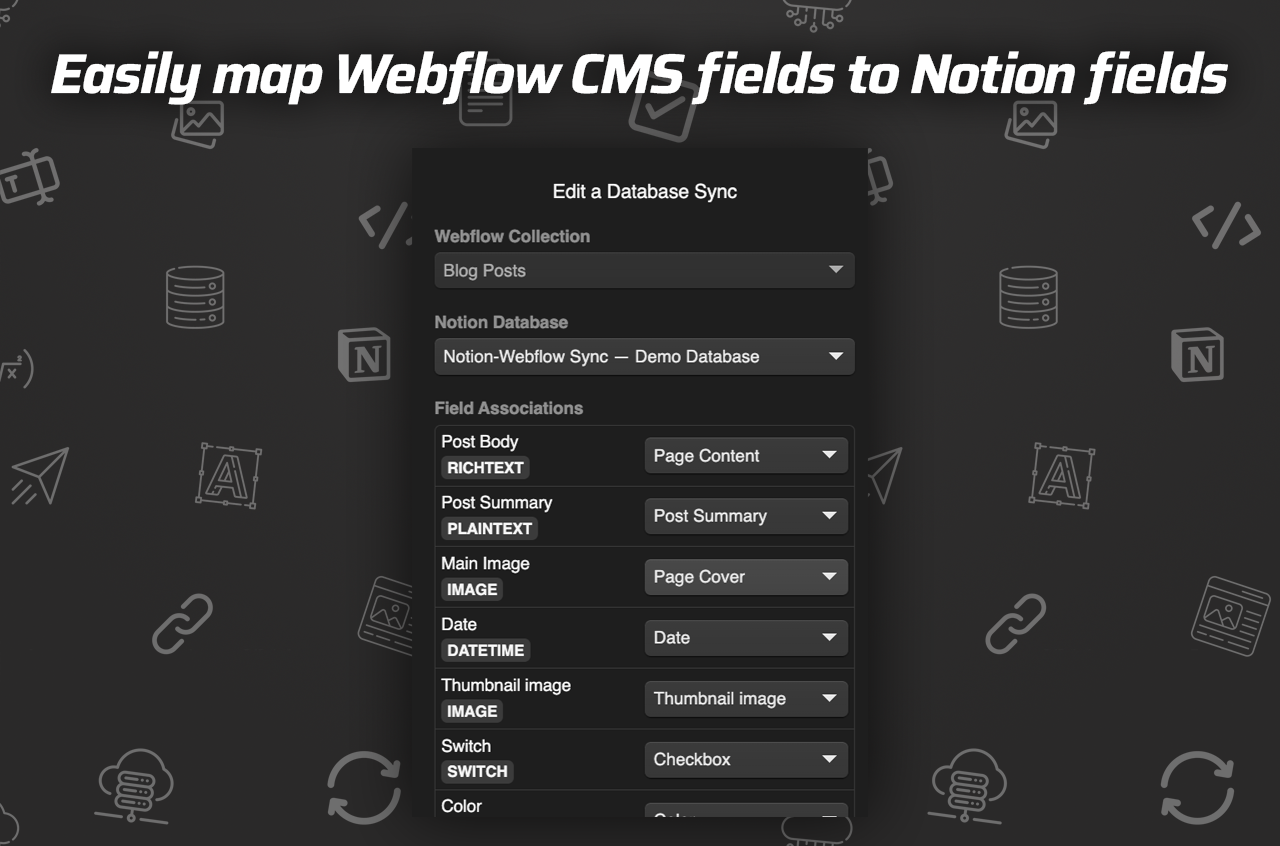
Here is what I look for when I set it up:
- Title fields should be obvious and consistent.
- Body content should map cleanly, not through a pile of ad hoc transformations.
- Image fields should stay image fields.
- URLs should stay URLs so the CMS can render them predictably.
- Dates should arrive as dates, not as random text fragments.
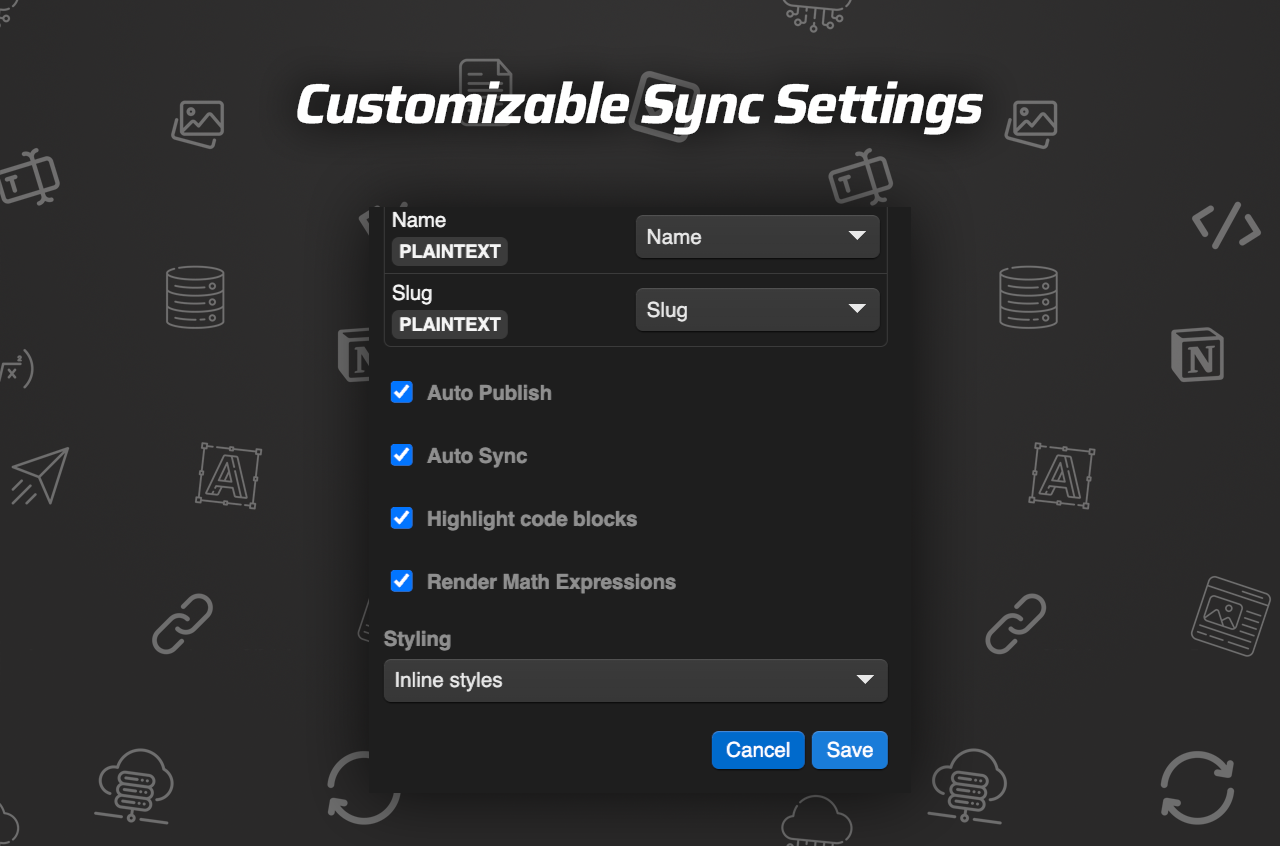
If the post is technical, I also care about code blocks and math. Syncflow says it supports code highlighting and TeX, which is the difference between a usable import and a post that needs a repair pass before it can go live.
Decide What Gets Auto-Synced
I do not auto-sync everything by default. I only turn it on after I know which fields are stable. Syncflow gives you both auto-sync and manual sync, and that is the right split. You want repeatability for routine updates, but you still want a human decision point when the content is not settled yet.
That is why I like the setup described in How to Set Up a Shopify Blog Automation Workflow That Still Needs Review. Automation should reduce repetitive work, not remove editorial judgment.
The fields I am most cautious with are:
- Body copy that still changes often.
- Images that may be swapped before publication.
- Internal links that depend on the final site structure.
- Any content that relies on page linking across the database.
Syncflow handles page linking automatically between Notion pages and Webflow posts, which is useful, but I still want to confirm the relationships look right in the CMS before I trust a batch of content.

Test The Content Types That Usually Break
The failure cases are predictable, so I test them first. If a sync tool can handle these, I am usually comfortable using it in production:
- Rich text with nested formatting.
- Images inside the body, not just as a cover field.
- Links between pages.
- Code snippets.
- Dates and simple metadata fields.
This is also the point where I compare the workflow to posts like How to Automate a Shopify Blog Without Generic AI Copy and How to Turn Shopify Store Changes Into Blog Posts That Rank. The content can be automated, but the structure still has to serve the reader, not just the pipeline.
Syncflow’s demo setup also makes this practical. The product page includes a full tutorial video and a trailer, which is a good sign when you are evaluating whether a sync tool has been tested on real content rather than a toy sample.
Keep A Human Review Step
I want my publishing system to be fast, but I do not want it to be blind. After a sync, I still review the Webflow CMS entry and check whether the article reads correctly on the site. That is where the time savings actually show up: I am reviewing, not retyping.

The review step is where I catch the issues that matter:
- A field mapped to the wrong CMS property.
- A title that is too long for the site treatment.
- An image that should be cropped differently.
- A link that makes sense in Notion but not in the final post.
If you are building a content operation that will grow, this is the same reason How to Build a Shopify Blog Draft Queue From Product Updates works as a model. A queue is useful only when it keeps the human step obvious. I would rather have a fast pipeline with a clear review point than a fully automatic one that nobody trusts.
Where Syncflow Fits Best
I would use Syncflow when:
- The article starts in Notion.
- The site publishes in Webflow.
- The CMS schema is already defined.
- You want auto-sync for steady content.
- You need manual sync for first imports or sensitive updates.
I would be more cautious when the page is highly custom, when the layout depends on lots of one-off components, or when the content changes are mostly visual rather than text-driven. In those cases, sync still helps, but it is not a substitute for a thoughtful CMS design.
The pricing is straightforward too: the standard plan is $8/month for one Webflow site install, unlimited syncs, unlimited databases, and unlimited connected fields. That is reasonable if you publish often enough for the saved manual work to matter.
My Bottom Line
I like tools that make the obvious thing easy. Syncflow does that for Notion-to-Webflow publishing. It keeps the content closer to the drafting process, gives you a real field-mapping layer, and lets you choose between auto-sync and manual control instead of forcing one workflow on every use case.
If you want to see the product directly, start at Syncflow. If you want the walkthrough, the product includes a full tutorial video and a trailer for the Notion-to-Webflow sync flow.
The next step is simple: map one collection, sync one article, and see whether the CMS still feels readable after the import. If it does, you have something you can scale.