How I Export Squarespace Sites To Static HTML Without Rebuilding Them
I used to treat Squarespace like a closed box: good enough while the site was small, annoying once I wanted more control. The moment I wanted the design but not the lock-in, I started looking for a cleaner export path. ExFlow is the tool I would use for that. It exports Squarespace sites as static downloadable content and gives you a way to host the result yourself at ExFlow.site.

The reason I care about this workflow is simple. I do not want to rebuild a site page by page just to own the files. I want the content, the assets, and a clean handoff into static HTML so I can host it where it makes sense.
What I want from a Squarespace export
I do not need a gimmick. I need the export to preserve the parts that matter:
- pages exported with the right .html extension;
- CSS files;
- JavaScript files;
- images and media;
- custom style.css and script.js files when I need them;
- a full export of every page instead of a partial backup.
ExFlow is built around that kind of output. It supports exporting any Squarespace site by URL, and it can also handle password-protected sites when the owner provides the password. That matters when you are moving a real client site instead of a demo.
My export checklist
This is the sequence I would use on a live site:
- Enter the Squarespace site URL.
- Choose what to export: CSS, JS, images, and media.
- Export all pages so nothing important is left behind.
- Decide whether the first run should download the files or sync them to Git, S3, or FTP.
- Review the output and check that the site opens with the expected assets.
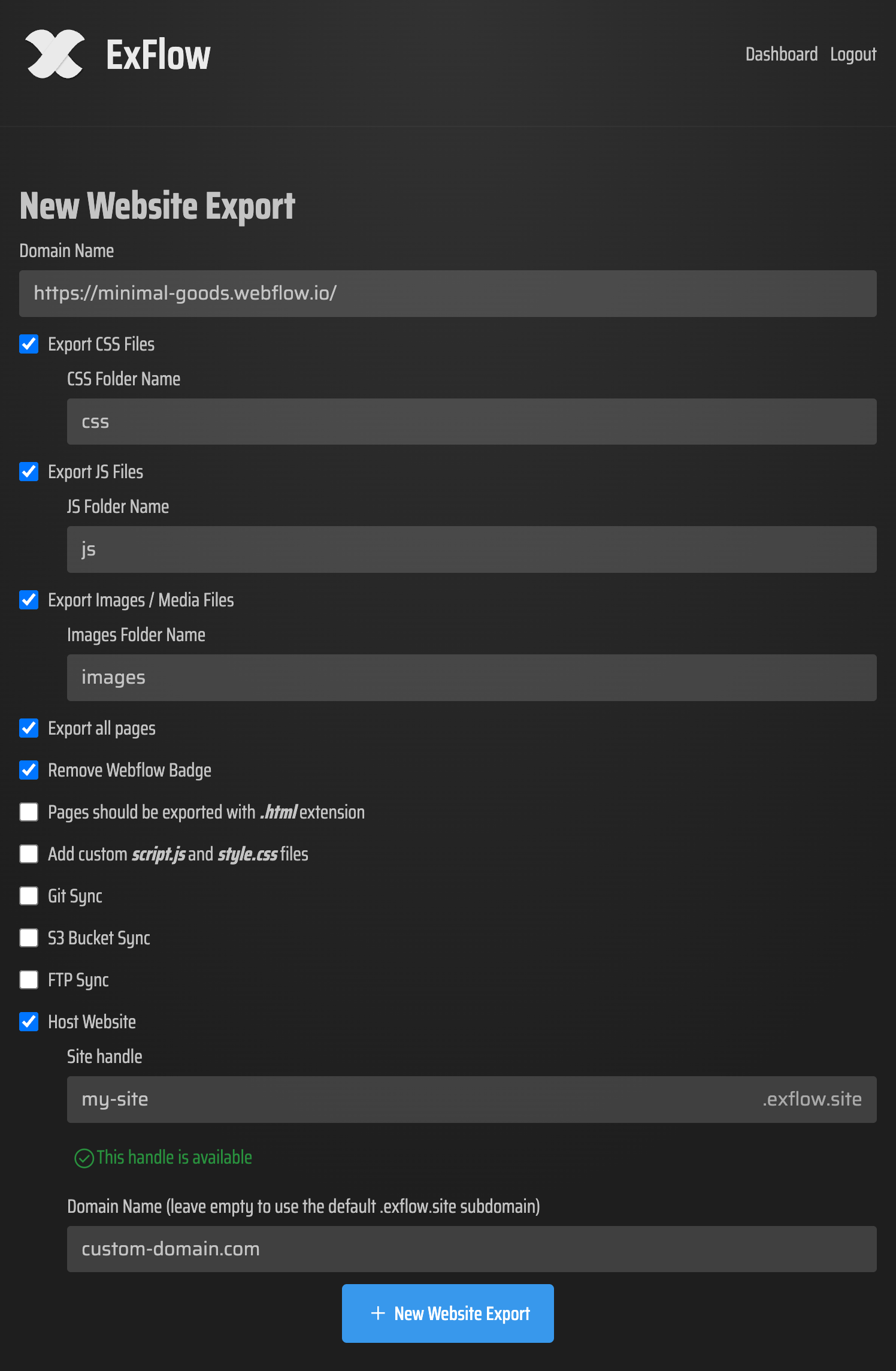
That screenshot is what I want from any export tool: a clear configuration surface, not a mystery box. If I can see the export settings before I commit, I can avoid the usual cleanup work later.
The other detail I care about is control. ExFlow lets you decide what to bring over, which is useful when you do not want a huge archive of unnecessary files. I would rather export the useful parts cleanly than download a pile of assets I will never touch.
Where I host the exported site
Once the static files exist, I decide the hosting path based on who will maintain the site next.
- ExFlow hosting when I want the fastest path and unlimited bandwidth.
- Git when I want versioned file history and deployment control.
- S3 when I want simple static hosting.
- FTP when the client already has a traditional server.

That is the part that makes this useful as a Squarespace alternative. I keep the design work, but I am no longer stuck treating the platform itself as the only place the site can live.
I also like that ExFlow supports syncing to Git, S3, and FTP during the export flow. I do not have to export first and then manually move files into a second tool unless I want to.
If I were comparing this with other export workflows
The logic is the same across other site builders, even if the mechanics differ. If you are comparing options, I would read How to Export a Webflow Site to Static HTML with ExFlow, How to Download a Webflow Site and Host It Yourself with ExFlow, How to Export a Framer Site to Static HTML and Self-Host It, and How to Download a Framer Site as HTML and Self-Host It.
Those posts are useful because they all point at the same operator question: do I want to keep editing in the original builder, or do I want a static copy I can host on my own terms?
What I verify before I call it done
A good export is boring in the right way. Before I consider it finished, I check a few practical things:
- the homepage opens cleanly;
- image paths resolve;
- custom scripts load;
- every page exports with the expected extension;
- the site works after it is hosted, not just in the export preview;
- password-protected pages only export when I have the right access.
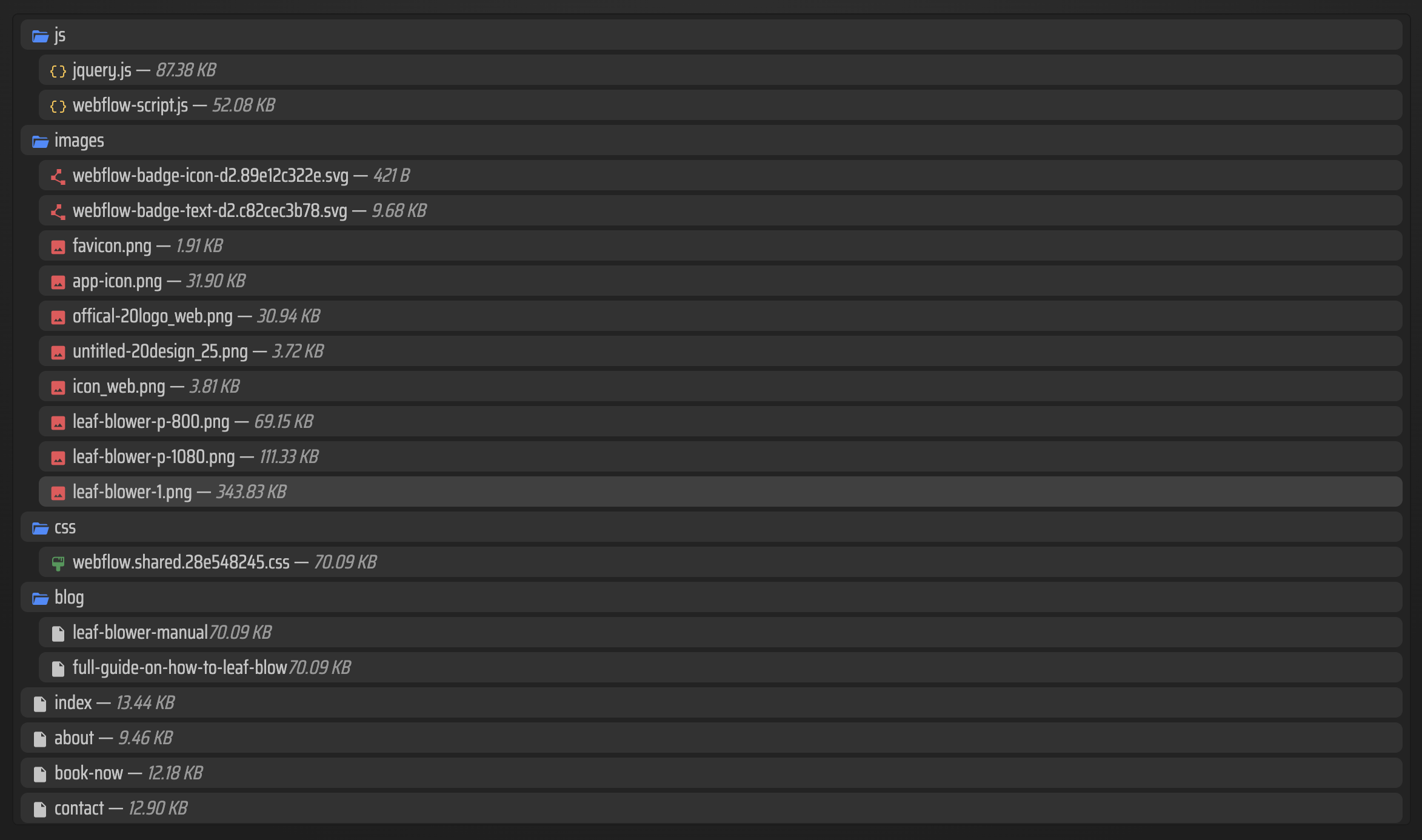
That last check matters more than people expect. A site can look fine in the export summary and still break once it is deployed if asset paths or page references were handled badly.
Bottom line
I use ExFlow when I want to keep the Squarespace design but stop depending on Squarespace for delivery. That is what makes the workflow practical: I can export the files, host them where I want, and keep moving without rebuilding the site from scratch.
If you want the simplest way to start, export one Squarespace site, inspect the files, and host that copy before you touch a more important project. That one test will tell you whether the workflow fits your stack.