How I Decide When a Framer Site Is Ready for Static Hosting
I stop treating Framer hosting as the default once a build has settled into a mostly finished marketing site, portfolio, or landing page. At that point, I care more about portability, control, and a simple handoff than I do about keeping every future change inside the editor. That is where ExFlow earns a place in my workflow: it exports Framer sites by URL and gives me downloadable static files I can keep, sync, or host elsewhere.
The quick answer
- If the site is stable, exportable, and mostly content-driven, I start planning a static copy.
- If I need Git, S3, or FTP in the loop, I export earlier rather than later.
- If the design still changes daily, I keep it in Framer until the churn slows down.

The signals I look for
1. The layout has stopped moving
If the page structure is still being reworked every other day, export is premature. I want the navigation, hero, section order, and calls to action to feel settled before I freeze anything into static files.
2. I need a portable backup
Once a site is doing real traffic or real lead capture work, I want a copy that lives outside the editor. That makes handoff, rollback, and future migration easier.
3. The site is no longer acting like an app
If the Framer build is mostly presentation rather than a heavily interactive product surface, static hosting starts making more sense. The simpler the runtime, the easier it is to own the output.
4. The deployment target matters more than the editor
If the real decision is whether the site should live on Git, S3, FTP, or a managed host, then I am already thinking like a static-site operator. Framer is still useful for design, but it does not need to remain the runtime.
What ExFlow does
ExFlow.site exports a Framer URL into static downloadable content. I can choose whether to export CSS, JS, images and media, all pages, and even remove the Made with Framer badge. I can also add custom script.js and style.css files when the project needs them.

The basic flow is simple:
- Paste the Framer site URL.
- Pick the export settings I want.
- Export all pages.
- Download the archive or sync the output to Git, S3, or FTP.
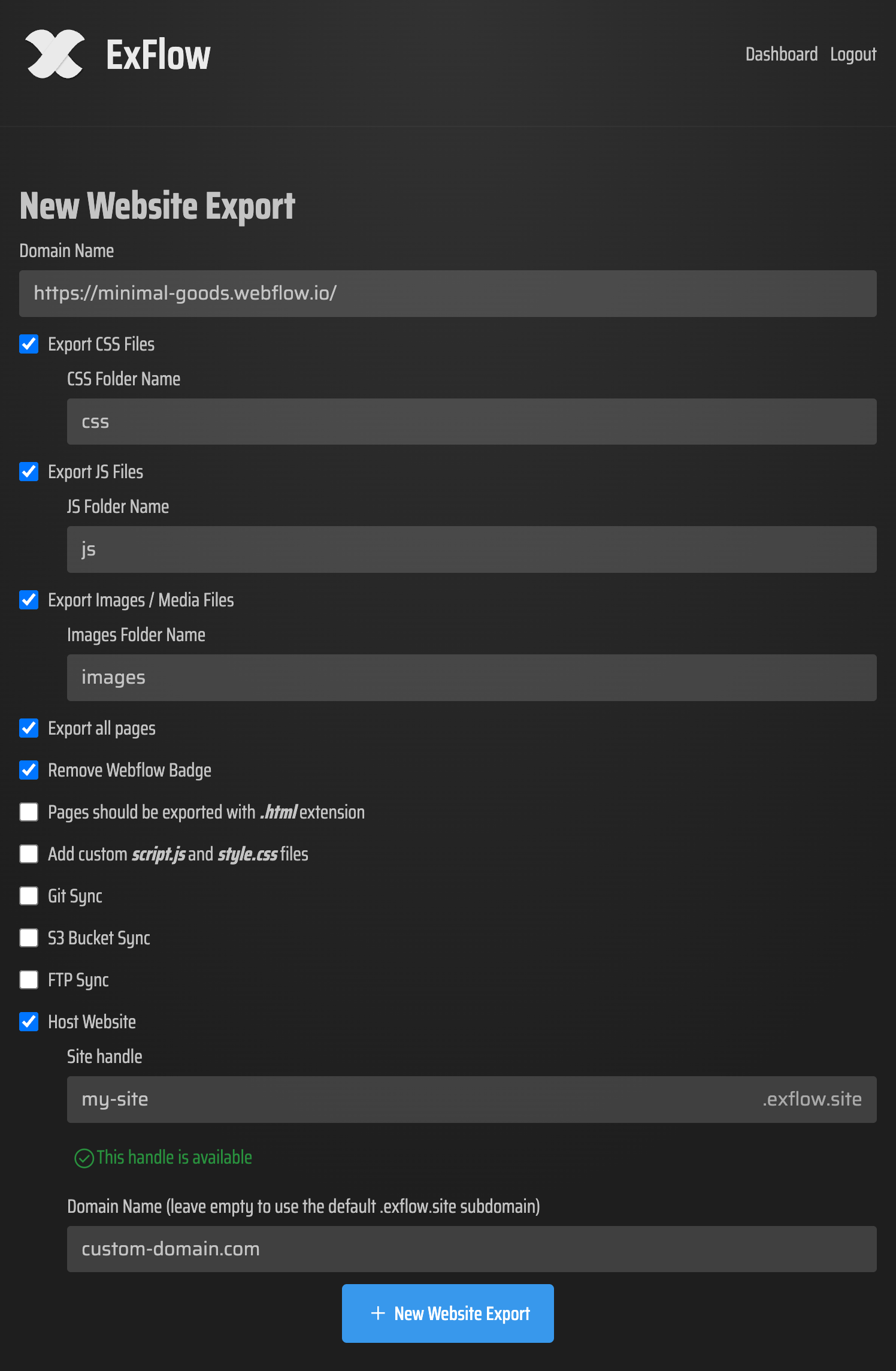
The settings I actually use
When I want a faithful export, I keep the scope broad first:
- URL
- Export CSS Files
- Export JS Files
- Export Images / Media Files
- Export All Pages
If the site needs to behave like a self-hosted product instead of a Framer preview, I also turn on the badge removal option and use the custom file hooks when necessary.

The file list matters because it tells me whether the export is actually portable. I want to see the pages as .html, plus the supporting assets I need to keep the site consistent after I move it.
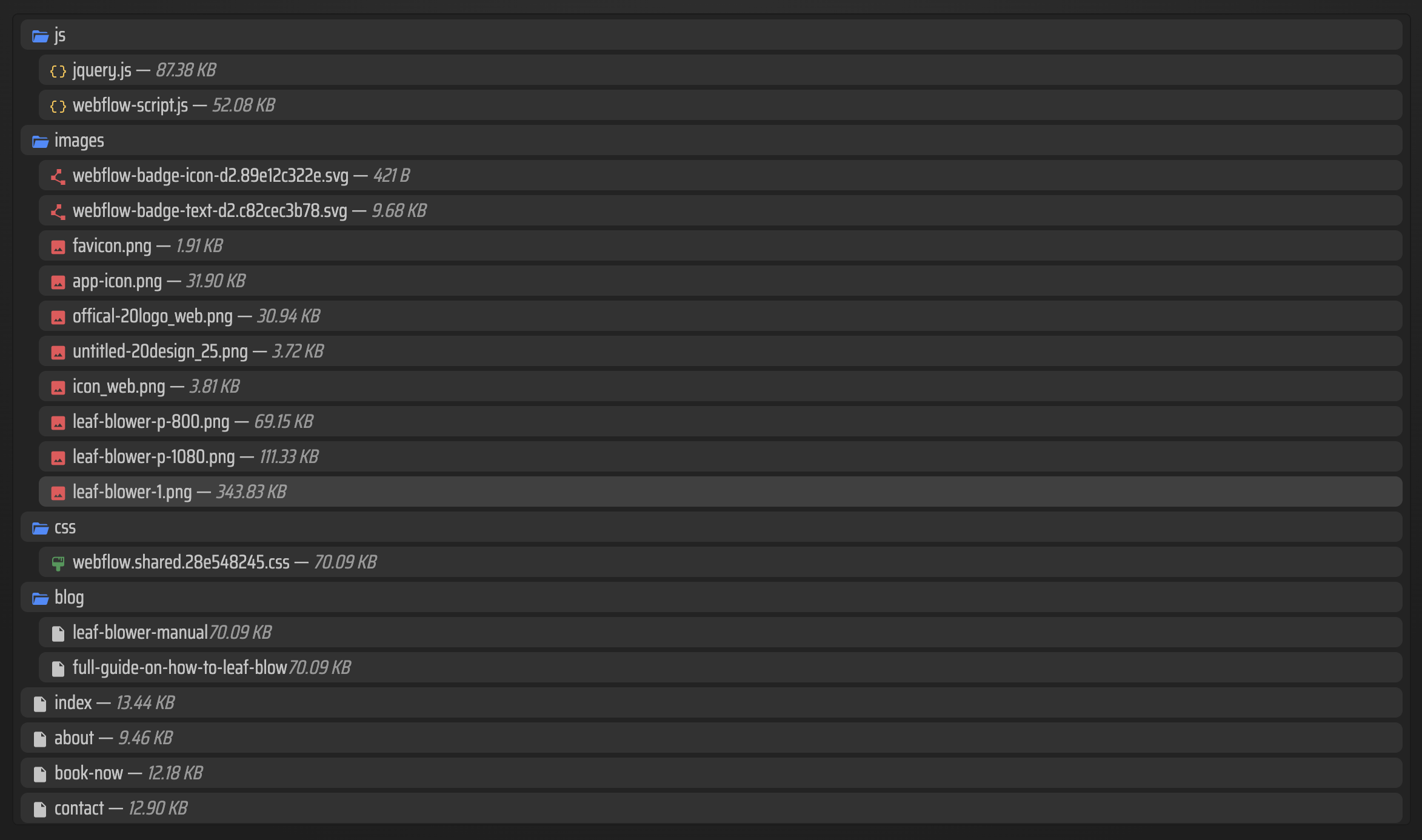
Where I send the export
I choose the target based on how the team already works:
- ExFlow hosting if I want the fastest path from export to live site.
- Git sync if I want version control and a repeatable deploy flow.
- S3 sync if I want a straightforward static bucket with plenty of room to grow.
- FTP sync if the project already lives on a traditional server.
I do not pick the target first and hope the export fits. I export the Framer site cleanly, then decide whether the output should live in Git, in object storage, or on a server I already control.
If you've already gone through How to Export a Framer Site to GitHub Pages Without Rebuilding It, the decision shape will feel familiar. The same export-first logic shows up in How to Self-Host a Framer Site After Exporting It to HTML, How I Self-Host a Webflow Site After Exporting CMS Content, How to Export a Squarespace Site to HTML and Self-Host It, and How I Export a Webflow CMS Site to Static HTML Without Rebuilding It, because the real question is always the same: do you want the builder to remain the runtime, or just the design tool?
When I would not export yet
I wait if:
- the page is still changing daily,
- the team needs the live editor as the main workflow,
- or the content model is still being rethought.
In those cases, exporting too early just creates a second copy to maintain. That is extra work, not extra control.
My rule of thumb
If I can answer yes to stable layout, acceptable file output, and a clear hosting destination, I stop debating and export the Framer site. ExFlow is useful because it keeps that step mechanical: enter the URL, choose what to include, and move the site into the environment that actually fits the project.
If you want to keep the design work in Framer but own the deployment path, start with ExFlow.site and export one stable page first.