How I Built a JSON-First Video Workflow for Browser, Server, and React
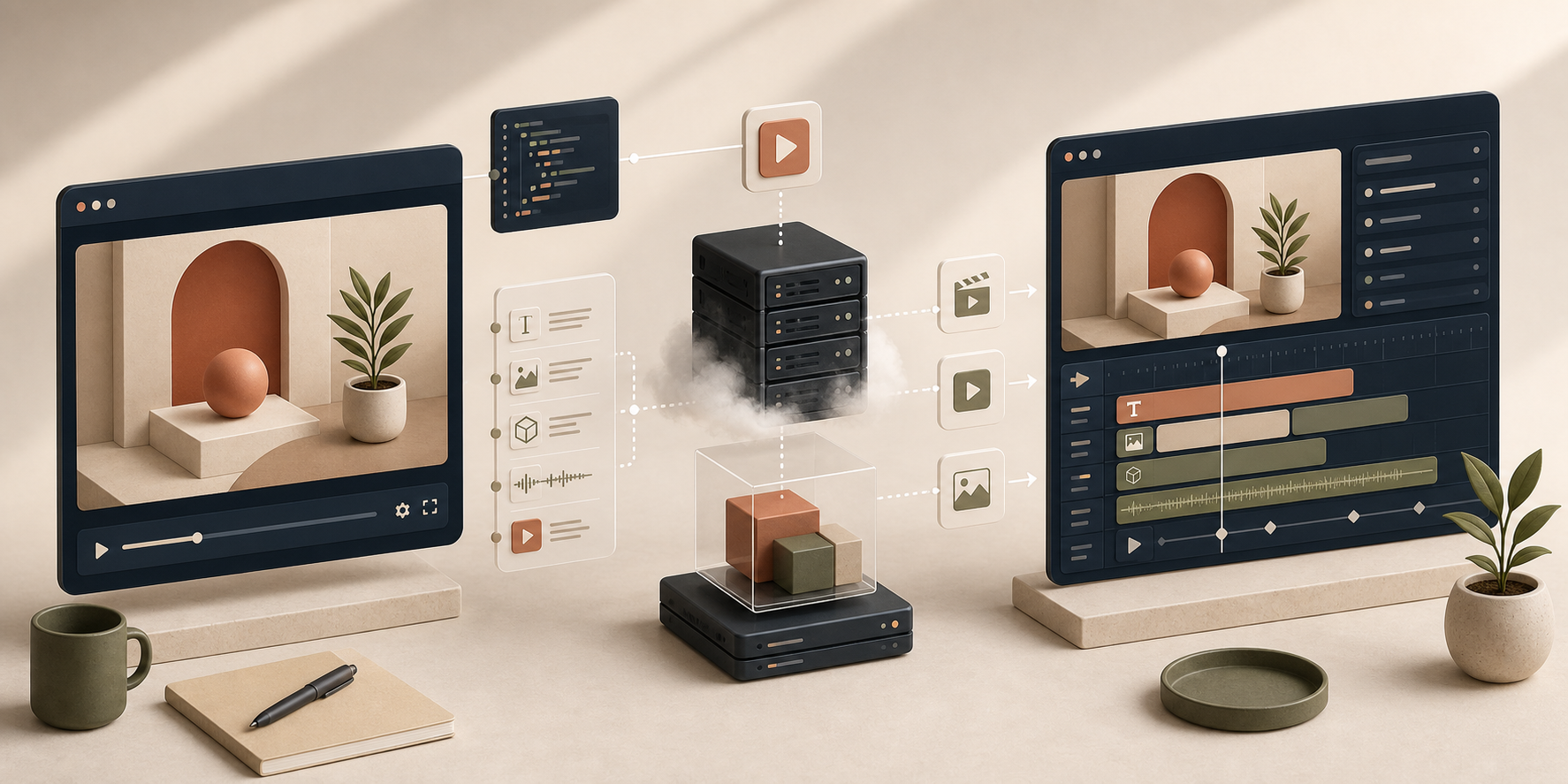
I keep running into the same failure mode in video tooling: the project starts as a one-off render script, then someone adds preview, then someone else adds a web editor, and suddenly the "video" exists in three incompatible shapes. That is the problem VideoFlow is trying to solve. It gives you one portable JSON representation for the project, then lets you render that same video in the browser, on a server, or inside a live DOM preview. VideoFlow is open source, so the workflow stays inspectable instead of disappearing behind a hosted black box.
If you want the short version, this is how I would think about it:
- Author the scene with
@videoflow/core. - Store the result as VideoJSON so the project is diffable and reusable.
- Use the browser, server, and DOM renderers depending on where the export or preview needs to happen.
- Add
@videoflow/react-video-editorwhen humans need a timeline instead of raw code.

Why One JSON Shape Matters
I have seen this break more than once: the preview looks fine, the export job looks different, and the editor writes back a slightly different structure again. Once that happens, every new feature becomes a negotiation between formats. I would rather keep the video model boring and stable. That is where JSON helps. It is easier to version, easier to diff, easier for AI agents to generate, and easier to move between local development, CI, and production.
If you want the same idea from a different angle, I would also read How to Keep One Video JSON Source of Truth for Preview, Edit, and Export because that is the design pattern I keep coming back to.
What I Put In the Core Layer
I keep the core layer boring on purpose: scene structure, timing, layers, and reusable blocks. The fluent TypeScript API gives you the building blocks without forcing you into a React-only world. You can add text, image, video, audio, captions, and shape layers, group related pieces, apply keyframes, and compile the whole thing into portable VideoJSON.
import VideoFlow from "@videoflow/core";


const $ = new VideoFlow({

  name: "Launch Demo",

  width: 1920,

  height: 1080,

  fps: 30,

});


$.addText(

  { text: "New collection launch", fontSize: 7, fontWeight: 800 },

  { transitionIn: { transition: "overshootPop", duration: "500ms" } }

);


const videoJSON = await $.compile();
That is the point where the project becomes portable. The JSON is the handoff artifact, not the side effect of one particular renderer.
How I Choose A Renderer
I treat the three renderers as different execution targets for the same scene model:
- Use the browser renderer when the user needs export inside the app and I want to avoid sending the project to a server.
- Use the server renderer when I need an API, queue, scheduled render, or batch job.
- Use the DOM renderer when I need a live preview with scrubbing, frame-accurate seeking, and audio sync.
That split is why I think the three-renderer pattern is the right mental model. It keeps one video model and changes only the runtime. If you want the browser-export version of the same idea, How to Turn Video JSON Into Browser Preview and MP4 Export is a good companion read.
Where React Fits
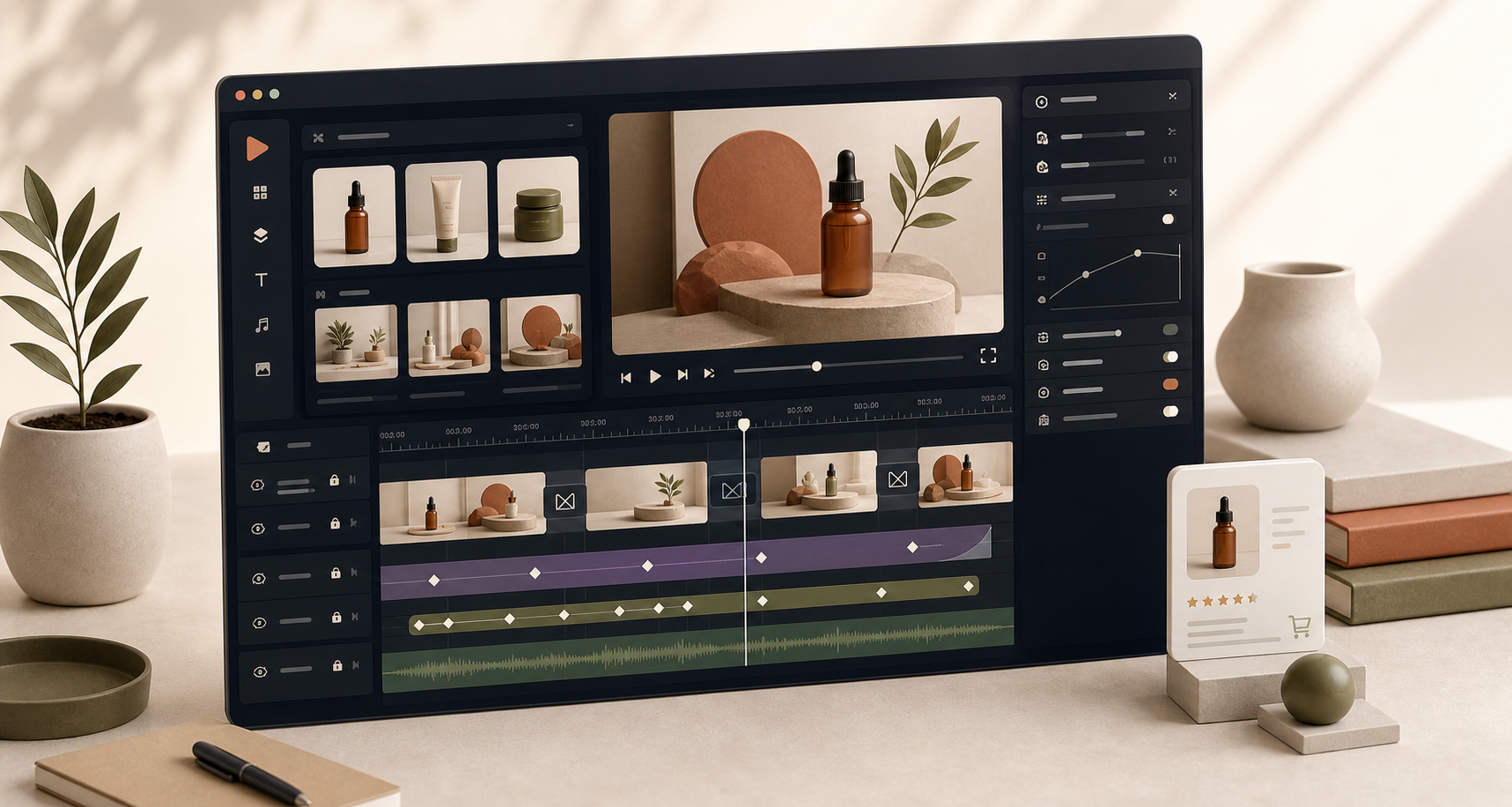
The React editor is the piece I would add when the person editing the video should not have to touch code. It gives you a multi-track timeline, inspector controls, keyframes, drag/trim/reorder actions, undo/redo, uploads, and MP4 export. The product docs also call out 27 transitions and 42 GLSL effects, which matters if you want creative flexibility without giving up structure.
If you are wiring this into a SaaS app, I would pair it with How to Add a Multi-Track React Video Editor to Your SaaS App. That article maps nicely to the practical integration work.
When I Would Use VideoFlow
- If the output needs to be reproducible.
- If AI agents need to generate a structured video spec instead of poking at a timeline.
- If I need the same project to work in the browser, server, and editor.
- If I want an open-source stack instead of a closed rendering API.
I would not use it for fully manual creative finishing. Traditional nonlinear editors still win when the workflow is purely artistic. I would also not use it as a replacement for low-level encoding work that FFmpeg handles well. The sweet spot is structured, repeatable, code-driven video.
If your pipeline starts with prompts or data, How to Build an AI Video Workflow From Prompt to JSON to MP4 is the best companion read.
My Practical Starting Point
If I were setting this up from scratch, I would do three things in order:
- Model one scene in
@videoflow/coreand compile it to VideoJSON. - Wire that JSON to a browser or server renderer, depending on where export happens.
- Add the React editor only after the underlying format feels stable.
That is the part that keeps the system from becoming a pile of one-off renders. One JSON source of truth makes the workflow easier to test, easier to automate, and easier to extend later.
If you want to explore the project, start with the docs, then the core docs, the renderers docs, and the React video editor. If you want the source, the GitHub repo is open under Apache-2.0.
The next step I would take is simple: turn one template into VideoJSON, export it three ways, and see whether VideoFlow fits the way your team actually ships video.