Create Lifestyle Product Photos That Increase Shopify Conversions
If your store’s images stop at plain white backgrounds, you’re leaving conversions on the table. Lifestyle product photos place your items in real-world contexts, helping shoppers instantly understand scale, use, texture, and vibe—all the signals people need to buy with confidence.
With Supra AI Photo Studio, you can turn a single product photo into a scroll-stopping lifestyle collection in minutes—no complicated lighting setups, no expensive reshoots. Install it from the Shopify App Store: https://apps.shopify.com/supra-ai-photo-studio or learn more on the product site: https://supra-ai-photo-studio.sktch.io/
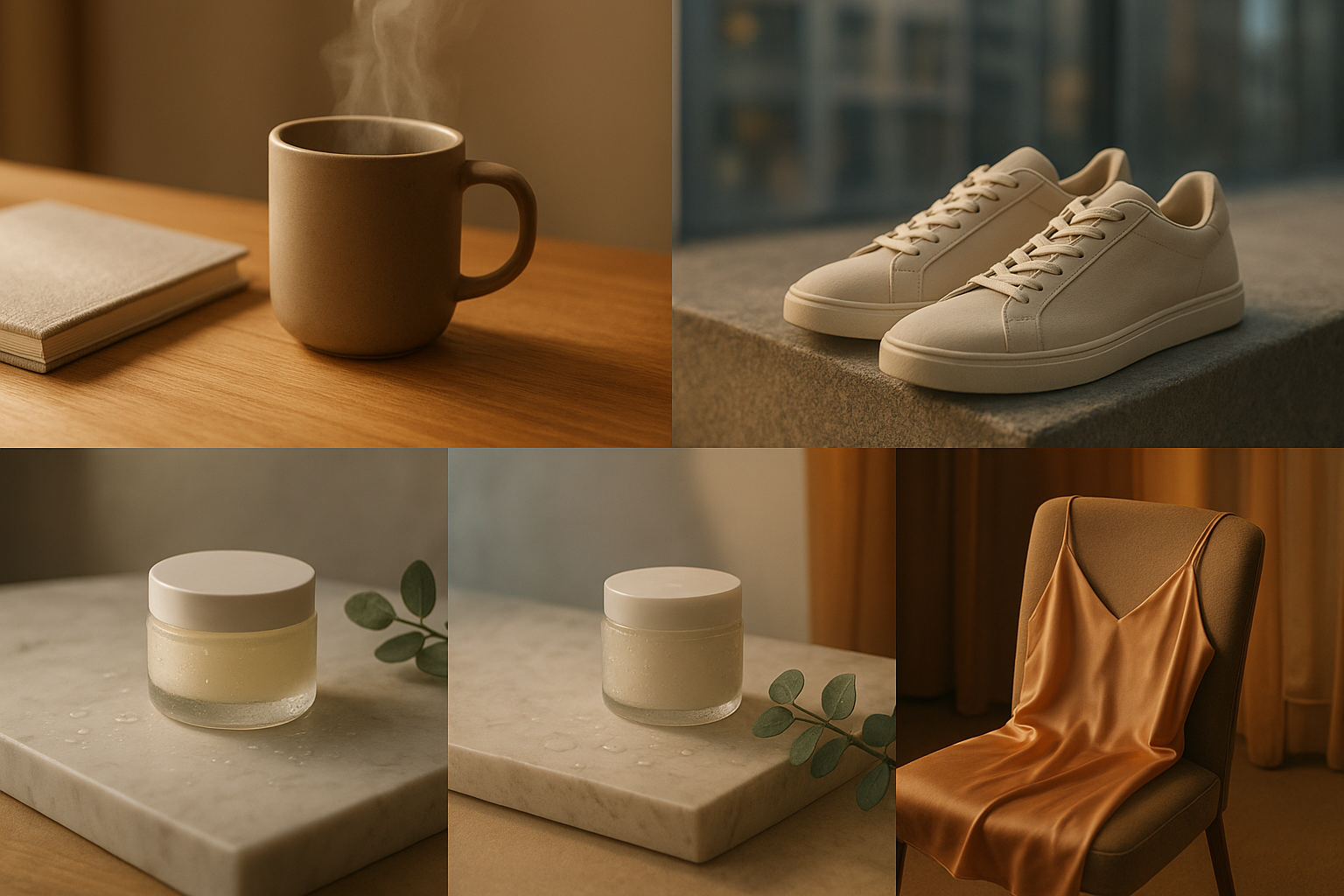
Why lifestyle product photos boost conversions
- They answer buyer questions fast: How big is it? Where does it live? How do I use it? Will it fit my style?
- They reduce friction: Shoppers feel the product in a relatable context instead of guessing from sterile angles.
- They lift perceived value: Cohesive visuals signal brand quality and justify price.
- They boost dwell time: Rich scenes hold attention and earn more “Add to cart” micro-yeses.
What a high-converting lifestyle photo includes
- A clear focal point: The product remains the hero with clean separation from the background.
- Realistic lighting and shadows: Soft, directional light and consistent shadows build trust.
- Context and story: Surfaces, props, and environments that reflect how the product is used.
- Scale cues: Hands, furniture, or everyday objects that ground size.
- Brand cohesion: Repeated tones, textures, and framing across your catalog.
- Mobile-first crops: Tight 4:5 and 1:1 variants for grid and PDP thumbnails.
- Performance-minded assets: Optimized WebP/JPEG, descriptive filenames, and alt text for SEO.
Create lifestyle photos in minutes with Supra AI Photo Studio
Supra AI Photo Studio helps you produce studio-grade images and videos directly inside your Shopify workflow. Start free and upgrade when you’re ready: https://apps.shopify.com/supra-ai-photo-studio
Supra AI Photo Studio helps you produce studio-grade images and videos directly inside your Shopify workflow. Start free and upgrade when you’re ready: https://apps.shopify.com/supra-ai-photo-studio
Step-by-step workflow
- Isolate your product for perfect cutouts
- Use Background Remover to cleanly separate your item from busy scenes.
- Pro tip: Run Auto Enhance to fix exposure, color cast, and sharpness first.
- Place your product in a lifestyle environment
- Use Object Placement to choose a setting (kitchen, boutique, office, outdoors), surface type, camera angle, and lighting style.
- Add subtle props that support the story without stealing focus.

- Dial in lighting and realism
- Apply Auto-lighting correction for consistent direction and warmth.
- Ensure the contact shadow matches the surface (soft on fabric, harder on stone) and adjust reflections for glossy items.
- Fashion store? Do instant try-ons
- Use AI Try-On to put apparel on lifelike models. You can vary pose, skin tone, and body type while preserving product accuracy.
- Build inclusivity and credibility with multiple model looks.

- Create polished variations fast
- Duplicate scenes with consistent angles and color grading to keep your catalog cohesive.
- Export multiple crops for PDP galleries, thumbnails, and ads.
- Bring movement with short videos
- Generate B‑roll product clips (e.g., slow spins, top‑down drops, liquid/smoke effects) and UGC‑style videos for Reels/TikTok from your images—perfect for retargeting and PDP enrichment.
- Publish to your product pages
- Replace or add gallery images directly in Shopify from the app editor.
https://supra-ai-photo-studio.sktch.io/images/help/editor-overview.webp
Get started now: https://apps.shopify.com/supra-ai-photo-studio — Free plan available.
Use-cases and scene recipes by niche
- Fashion & accessories
- Beauty & skincare
- Home & decor
- Electronics & gadgets
SEO checklist for lifestyle photos on PDPs
- Descriptive filenames: product-keyword-context.jpg (e.g., ceramic-mug-on-oak-desk.jpg)
- Alt text: Include the product, context, and attribute (e.g., “Matte ceramic mug steaming on a wooden desk in morning light”).
- Captions: Add micro-benefits or care tips under the image.
- Internal links: Link related accessories or bundles under lifestyle images.
- Image size: Serve WebP where possible; keep under 300–500 KB for grid images.
Testing and measuring impact
- Run A/B tests: Lifestyle hero vs. plain studio; compare CTR to “Add to cart” and time on page.
- Test crop and angle: Wider environmental vs. tighter product crop.
- Iterate per device: Verify legibility and focal point on mobile first.
Common mistakes to avoid
- Over-propping: If it competes with the product, remove it.
- Inconsistent light direction: Keep sun/shadow logic consistent across the gallery.
- Unrealistic scale: Always anchor with a familiar object or hand.
- Busy color palettes: Limit to 2–3 complementary tones that reflect your brand.
Why Supra AI Photo Studio is ideal for Shopify merchants
- End-to-end workflow inside your admin: upload, enhance, place, try-on, and publish.
- Accurate product preservation: Materials, prints, and details stay true.
- Speed and scale: Produce entire collection refreshes in hours, not weeks.
- Flexible plans: Free to start; paid tiers for growing catalogs. See pricing on the App Store page: https://apps.shopify.com/supra-ai-photo-studio
Want to see it in action? Watch the demo trailer: https://www.youtube.com/watch?v=M2ISy20la78
Quick start checklist
- Install the app: https://apps.shopify.com/supra-ai-photo-studio
- Upload a clean product image and run Auto Enhance
- Remove background and place the product in a lifestyle scene
- Generate one B‑roll or UGC clip for social
- Export mobile-first crops and update your PDP gallery
Turn plain photos into high-conversion lifestyle visuals today. Try Supra AI Photo Studio free: https://apps.shopify.com/supra-ai-photo-studio or explore the features at https://supra-ai-photo-studio.sktch.io/